Learn Model-Based Design Tools and Techniques Using Simulink Copilot
R2026bSimulink® Copilot provides generative AI–powered capabilities for the Simulink environment.
In your workflows in Model-Based Design, you can use Copilot to:
Get suggestions on which tools and techniques to use.
Learn how to use a specific tool or implement a technique in your design.
Get Suggestions on Tool and Technique Usage
You can ask Copilot to find Model-Based Design tools and techniques that you can
use to achieve goals. For example, suppose, you want to detect dead logic in the
example model sldemo_fuelsys. Open the model by entering this
command.
openExample('simulink_automotive/ModelingAFaultTolerantFuelControlSystemExample')Open the Copilot Chat panel and ask Copilot if any tools or techniques to detect dead logic are available.
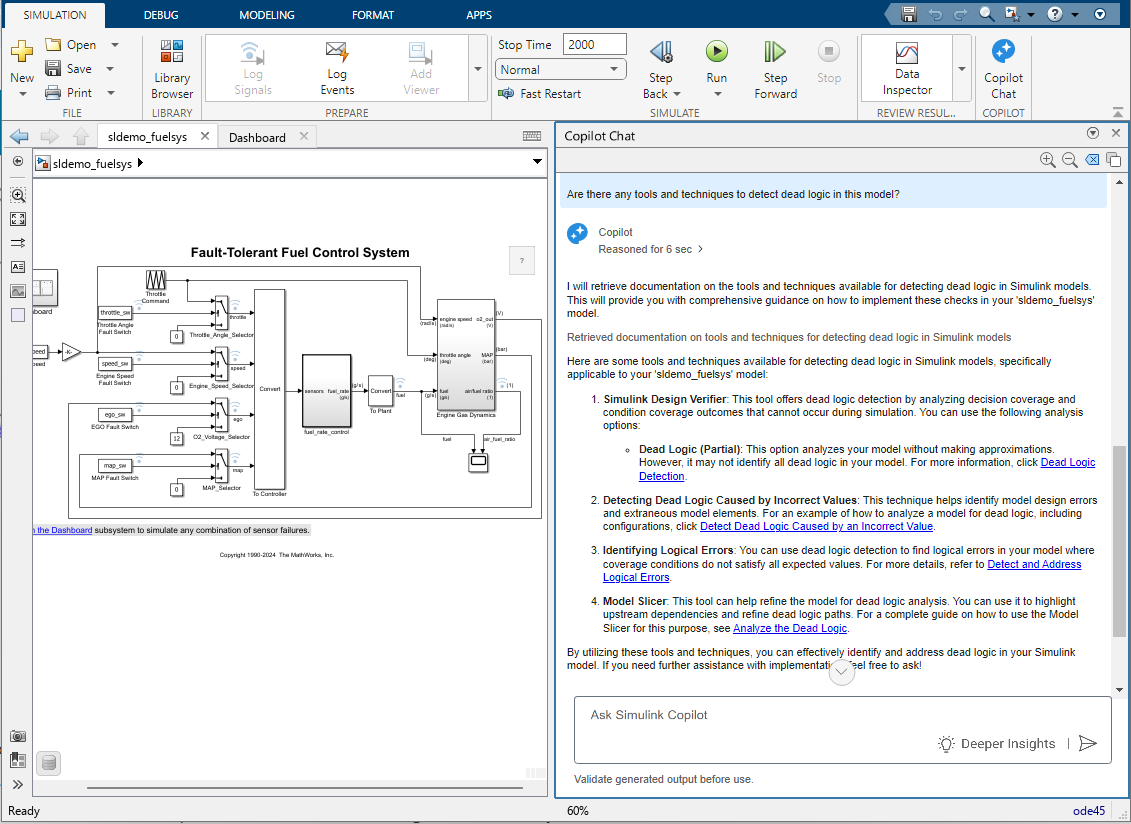
Similarly, you can ask Copilot for tool and technique suggestions for your goals. Here are some example prompts:
What are the best techniques to store data that can be shared
                            among referenced models?
Which tools can I use to improve the structure and organization of my model?
Learn to Use Specific Tools or Implement Techniques in Your Design
You can also ask Copilot to assist you in using a specific tool or implementing a technique in your models. Copilot usually generates a response that explains the steps for using a tool or implementing a technique. For example, if you want to learn how to use Simulink Design Verifier™ for dead logic detection, ask Copilot for step-by-step instructions.
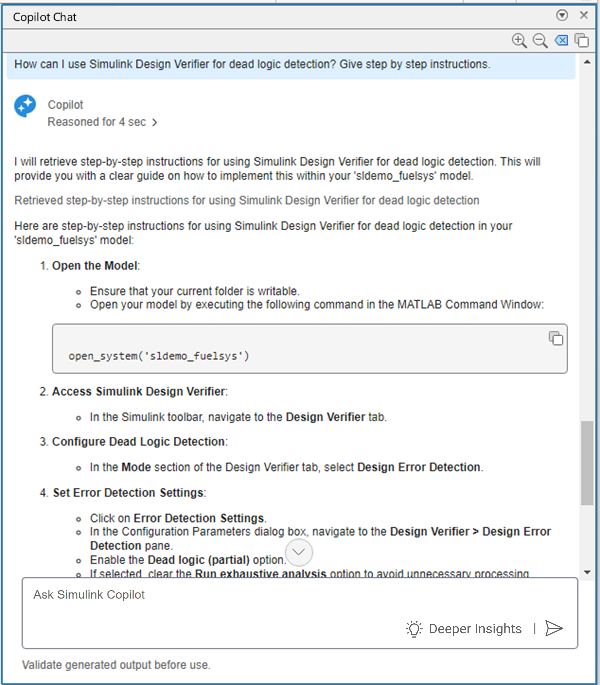
Similarly, you can ask Copilot to help you with other tools and techniques that you can use to achieve your goal. Here are some example prompts:
How can I implement a data dictionary for this
                        model?
How can I log signal data?
Interact with Copilot through prompts to get assistance on tool and technique usage for your project. Copilot generates follow-up prompts and provides links to relevant documentation. Explore the follow-up prompts and documentation links for more assistance.

