Use Simulink.DataStore Objects to Specify Data Store Using Model
Explorer
R2026bStarting in R2026b, the Simulink.DataStore object is introduced. Using the
Simulink.DataStore object, you can:
Define a local, reference and shared data store.
Customize run time diagnostic settings for a data store.
Log the data from the data store.
Use Model Explorer to Define Data Store Objects
Follow these steps to create a Simulink.DataStore object using
the Model Explorer.
To open the Model Explorer, in the Simulink® toolstrip, on the Modeling tab, click Model Explorer.
In the Model Hierarchy pane, select the Model workspace node.
Select Add > Simulink DataStore.
Edit the property values per your modeling requirements. The, click, Apply to save the changes.
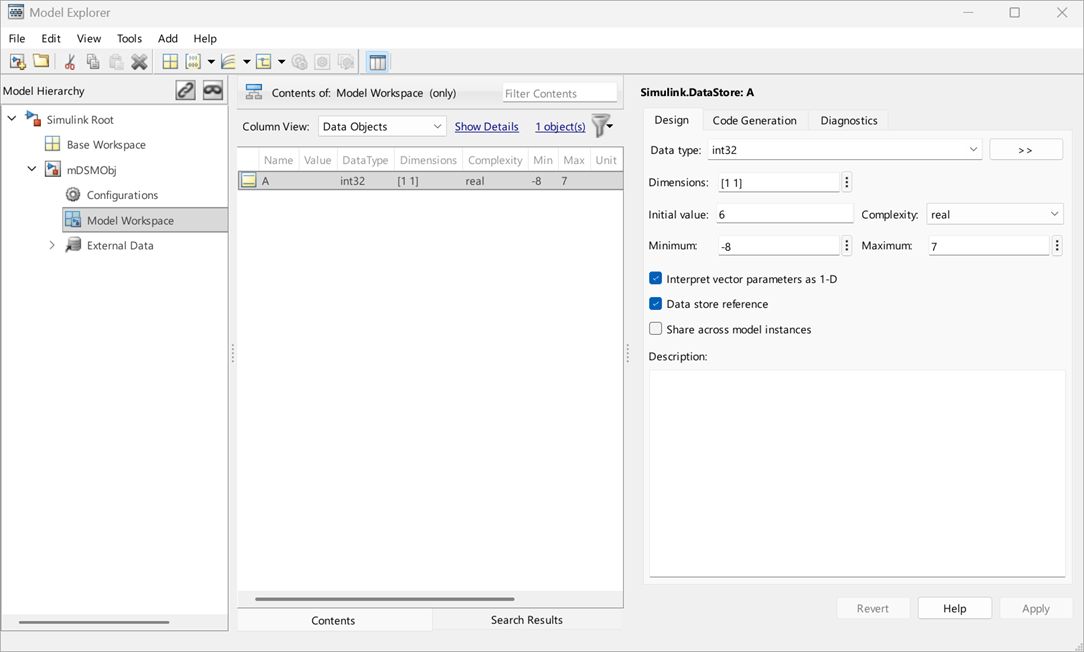
For the data store object property values to be effective in the model, save (Ctrl+S) the model in the working folder and close it. Then, reload the model.

