Model Design Dashboard
R2026bGet a high-level overview of model design quality, including structure, complexity, requirements traceability, diagnostics, and reuse
Since R2026b
Description
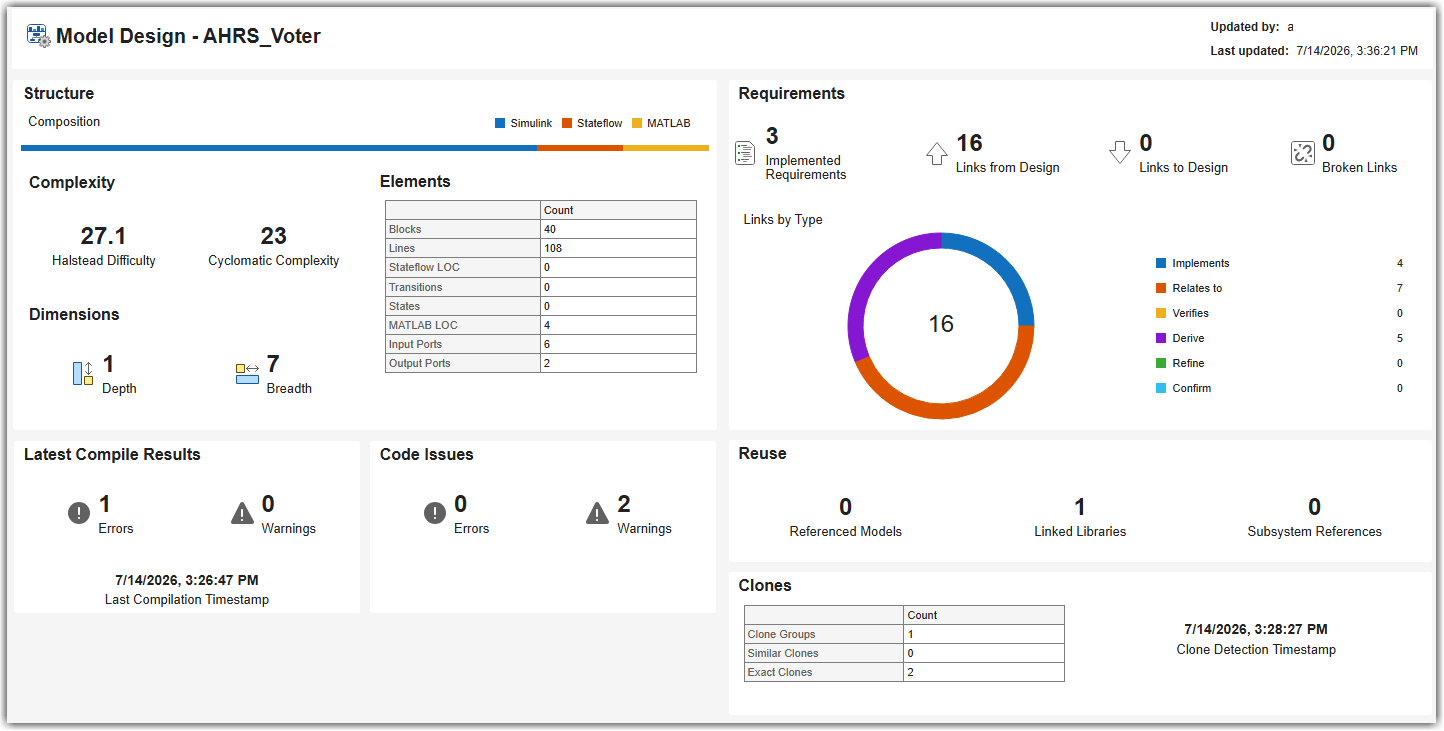
The Model Design Dashboard helps you assess the overall quality of your model design. Use the dashboard to get a high-level overview of design size, complexity, requirements traceability, diagnostics, and reuse to identify areas for improvement. Using this app, you can:
Assess the size and composition of your design across Simulink®, Stateflow®, and MATLAB® code.
View complexity metrics and drill down to the Model Maintainability Dashboard for detailed architecture and decision path analysis.
Review requirements traceability, including implemented requirements, link types, and broken links.
Check recent compile results and code issues from the MATLAB Code Analyzer.
Identify opportunities for reuse through referenced models, linked libraries, subsystem references, and clone detection results.
Open the Model Design Dashboard App
Open a project, then use one of these approaches to open the app:
MATLAB Toolstrip: In the Project tab, in the Tools menu, under Apps, click Model Design Dashboard.
Simulink Toolstrip: On the Apps tab, under Model Verification, Validation, and Test, click Model Design Dashboard.
MATLAB command prompt: Enter
modelDesignDashboard.

