Generate IP Core for AMD SoC Devices from MATLAB
R2026bGenerate an IP core from a MATLAB® design and target an AMD® SoC device. Use the HDL Workflow Advisor app to create or open an HDL Coder™ project, define input types, configure the IP core generation target, map design ports to target platform interfaces, and generate the IP core.
Generate an IP Core
To generate a custom IP core to target a platform supported by the SoC Blockset™ for AMD:
On the Apps tab, click HDL Coder.
Create an HDL Coder project that includes your MATLAB design function and test bench, or open an existing HDL Coder project.
In HDL Workflow Advisor, open the Define Input Types task. Specify the MATLAB design function and test bench, and then run the task to define input types.
To learn how to convert your design to fixed-point, see Generate and Synthesize HDL Code for Symmetric FIR Filter Using the HDL Workflow Advisor (HDL Coder).
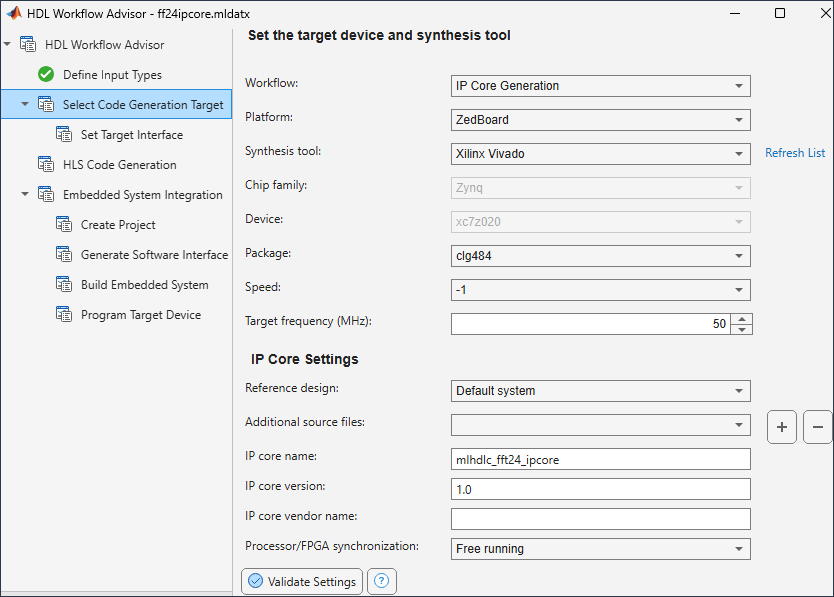
Use the Select Code Generation Target task to configure the IP core generation workflow, target platform, synthesis tool, and IP core settings. Set these options:
Workflow — Select
IP Core Generation.Platform — Select one of these supported target platforms:
Xilinx Versal AI Core Series
                                                  VCK190 Evaluation Kit
Xilinx Zynq Ultrascale+ MPSoC ZCU102 Evaluation KitXilinx Zynq ZC702 evaluation kitXilinx Zynq ZC706 evaluation kitZedboardXilinx Zynq Ultrascale+ RFSoC ZCU111 Evaluation KitXilinx Zynq Ultrascale+ RFSoC ZCU216 Evaluation Kit
Synthesis tool — Use the synthesis tool selected for the target platform.
Chip family — Use the chip family for the selected target hardware.
Device — Use the FPGA device for the selected target hardware.
Package — Use the package for the selected target FPGA device.
Speed — Use the speed grade for the selected FPGA device.
Target frequency (MHz) — Enter the target clock frequency for the generated IP core.
Reference design — Select the reference design for the target platform.
Additional source files — If your design uses an
hdl.BlackBoxSystem object™ to include existing Verilog® or VHDL® code, specify the sources files. The source file language must match your target language.IP core name — Specify a name for the generated IP core.
IP core version — Specify the version for the generated IP core.
IP core vendor name — Specify the vendor name for the generated IP core, if required.
Processor/FPGA synchronization — Select the synchronization mode for communication between the processor and FPGA.
If your target hardware does not appear in the Platform list, select Get more to download the target support package.
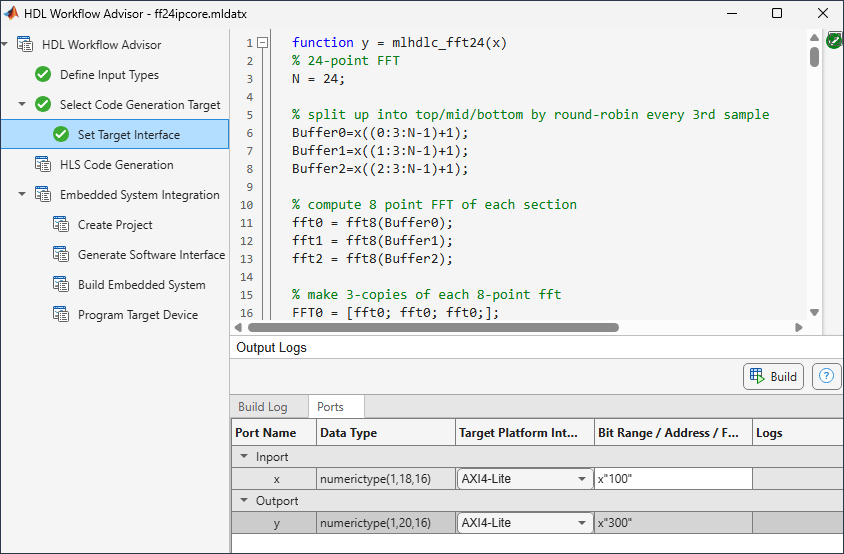
In the Set Target Interface step, map each MATLAB design input and output to a target platform interface. For each port, select an interface from the Target Platform Interfaces column.
In the HDL Code Generation task, optionally specify code generation options, and then click Run to generate the IP core.
After code generation completes, click the IP core report link in the HDL Workflow Advisor message pane. Use the report to review information about the generated IP core.
To learn more about custom IP core generation, see Custom IP Core Generation (HDL Coder).
Requirements and Limitations
Before you generate the IP core, review these interface mapping requirements and limitations:
You cannot map ports to both an AXI4 interface and AXI4-Lite interface in the same IP core.
To map design function inputs or outputs to an AXI4-Lite interface, the ports must:
Have a bit width less than or equal to 32 bits.
Be scalar.
To map design function inputs or outputs to an AXI4-Stream Video interface, the port must:
Have a bit width of 32 bits.
Be scalar.
Include maximum of one input video port and one output video port.
The IP core generation workflow does not support the AXI4-Stream Video interface when Processor/FPGA synchronization is set to Coprocessing – blocking.

