Where can I find code that is written to plot functions better than the built-in MATLAB plotting functions?
Show older comments
Where can I find code that is written to plot functions better than the built-in MATLAB plotting functions?
10 Comments

Star Strider
on 19 Sep 2012
What don't you like about the built-in MATLAB plotting functions?
What would you like them to do differently?
What version of MATLAB are you using?

Christine
on 20 Sep 2012

Walter Roberson
on 20 Sep 2012
Could you specify particular features you are looking for? Cross-fades? Video in a window? Plot markers should look like cute kittens?
Christine
on 26 Sep 2012
Walter Roberson
on 26 Sep 2012
It would have to use Java or something like that, as the primitives such as line() and surface() are built-in MATLAB plotting functions.
When you say "any kind of function", are you referring to data matrices (such as plot() currently uses), or are you referring to function handles, or are you referring to symbolic expression of the functions? Does it need to be commandible like "plot the first 10 non-trivial zeros of the Riemmann Zeta function", or "plot the first 5 odd perfect numbers" ?
Christine
on 27 Sep 2012

Daniel Shub
on 27 Sep 2012
It seems like your problem is not with the MATLAB figures, but rather what they look like when you import them into powerpoint.If so, please edit your question accordingly. If not, post an example plot and a description of what you would like to be different.
Walter Roberson
on 27 Sep 2012
What steps are you currently using to export from MATLAB into Powerpoint ?
Walter Roberson
on 28 Sep 2012
Please read the guide to tags and retag this question; see http://www.mathworks.co.uk/matlabcentral/answers/43073-a-guide-to-tags
Answers (4)
Walter Roberson
on 19 Sep 2012
0 votes
A lot of people find the MATLAB File Exchange contribution "plt" to be useful.

Jan
on 20 Sep 2012
0 votes
Can PowerPoint import SVGs? If so, FEX: Plot2SVG is a nice solution. If not, PowerPoint is a kind of boring.

owr
on 27 Sep 2012
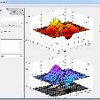
Ive been creating alot of ppt presentations lately with snapshots of figures from MATLAB. To facilitate this, I created a short cut with the following commands:
set(gcf,'Color',[1 1 1]);
imclipboard('copy', export_fig());
Both "imclipboard" and "export_fig" can be found on the File exchange (big thanks to the authors).
My process is simple:
1) Generate the plot I want in MATLAB. 2) Maximize the figure window 3) Click on my shortcut (or whatever method you want to run those 2 lines of code) 4) Open PPT to the slide I want 5) Ctrl-V to paste the image (I'm on a PC with Windows 7) 6) Position/resize the image in appropriately PPT.
Maybe this will help?
Ive also used this trick hundreds of times to embed images in (Outlook) emails for my colleagues.
Robert Cumming
on 27 Sep 2012
0 votes
Sounds like you want to perform a copy that is vector graphics - rather than a snapshot.
I used to export images to PPT but due to this issue I stopped exporting (via publish) to PPT and now produce .ps files via the print command and convert the postscript (ps) file to a PDF - that way I get my images into a file and the user can zoom in as far as they want and quality is not lost. :)
I use the standard print command for the job - or Jan has already linked a FEX which can save files as SVG - according to this link it should be possible to copy into office - but I've not tested it.
Categories
Find more on Programming in Help Center and File Exchange
Community Treasure Hunt
Find the treasures in MATLAB Central and discover how the community can help you!
Start Hunting!
