Latest Contributions






20 minutes makes a difference
I struggled to learn MATLAB at first. A colleague at my university gave me about 20 minutes of his time to show me some basic features, how to reference the documentation, and how to debug code. That was enough for me to start using MATLAB independently. After a few semesters of developing analyses and visualizations, I started answering questions in the forum when I had time. I became addicted to volunteering and learning from the breadth of analytical problems the forum exposed me to.
Have you ever solved a problem using a MathWorks product?
If your answer is YES, you may be the right person to help someone looking for guidance to solve a similar problem. Some answers in the MATLAB Central community forum maintain 1000s of views per month and some files on the File Exchange have 1000s of downloads. Volunteering a moment of your time to answer a question or to share content to the File Exchange may benefit countless individuals in the near and distant future and you will likely learn a lot by contributing too!
- 3616 questions were asked last month in the forum and in that time, 747 volunteers answered at least one question!
- 62% of those volunteers were first-time contributors!
- 335 volunteer contributors shared content in the File Exchange last month!
- 1: the number of contributions it takes to make a difference.
This week is National Volunteer Week in the USA (April 17-23). Challenge yourself and your colleagues by committing to help a stranger break barriers in their path to learning MATLAB.
How to volunteer and contribute to the MATLAB Central Community
Here are two easy ways to accept the volunteer challenge.
Contribute to the MATLAB Answers Forum
- Go to the MATLAB Answers repository. This page shows all unanswered questions starting with the most recent question. Use the filters on the left to see answered questions or questions belonging to a specific category. Alternatively, search for questions using keywords in the search field or visit the landing page.
- Open a few questions that interest you based on the question titles and tags.
- Decide how you'd like to contribute. Sometimes a question needs refinement or requires a bit of work to address. Decide whether to leave a comment that guides the user in the right direction, answer the question, or skip to the next question. The decision tree below is how some experienced contributors approach these decisions.
Pro tips
- Newer questions have more traffic and are often answered within an hour or minutes.
- Multiple answers often add valuable alternative perspectives and solutions.
- Sometimes answers aren't accepted or the asker disappears. Be not discouraged. Your answer holds much value.
Contribute to the File Exchange
- Choose a function, script, demo, or toolbox you created that may be helpful to the community.
- Go to the MathWorks File Exchange. Search for submissions that are similar to your idea and decide whether your idea adds value.
- Prepare your code for open-source sharing. The best submissions include brief documentation that explains the purpose of the code, inputs, expected outputs and limitations.
- Use the "Publish your code" button from the link above. This will guide you through the submission process.
Make a difference
No matter what level you are at as a MATLAB developer, you have skills that others around you could benefit from learning. Take the challenge and become a giant.
Let us know about your experience with MATLAB Central volunteers or your experience becoming a MATLAB Central volunteer in the comments below!


Cody is a useful tool to practice MATLAB skills not only by solving the problems but also learn from each other’s solutions. Sometimes you see subpar solutions that are cheats and hacks. With the flagging feature we released recently, you can help us identify solutions that administrators, including Community Advisory Board members, can review and delete.
How to flag?
Flag Options - Only available on solutions
.
MATLAB R2022a provides app developers more control over user navigation through app components using the keyboard's Tab key.
Part 1. The new focus function: programmatically set keyboard focus to a UI component
Part 2. Modify focus order of components
Today we'll review Part 1. Come back tomorrow for Part 2.
-------------------------------------------------------------------------------------------------
Programmatically set UI component focus
Did you know that you can save ~2 seconds every time you use a keyboard shortcut rather than reaching for your mouse [1,2]?
I need you to focus here: starting in MATLAB R2022a, use the new focus function to set keyboard focus to a specific UI component.
By specifying the component handle ( c ) in focus(c),
- The figure containing the component is displayed
- A blue frame appears around the component
- The user can directly interact with the component.
.
Which components are focusable?
Focusable components are those that a user can interact with using the keyboard. So an object set to Enable='off' or Visible='off' cannot be in focus. See the documentation for more details.
What will you do with all of that extra time saved?
-------------------------------------------------------------------------------------------------
Stay tuned
Tomorrow we'll learn how to apply the new focus function with control of tab order to create contextual flow of UI component focus. Follow Community Highlights to get notifications.
Let us know what interests you in the new MATLAB R2022a release in the comment section below.
See also
- Release notes: focus
- R2021a Highlight: keyboard shortcuts for UI Components
- Download the latest release of MATLAB
Footnotes
[1] Lane et. al. (2005). International Journal of Human-Computer Interaction, 18(2).
[2] Michels (2018). median.com
This Community Highlight is attached as a live script.
.
MATLAB R2022a provides app developers more control over user navigation through app components using the keyboard's Tab key.
Part 1. The new focus function: programmatically set keyboard focus to a UI component
Part 2. Modify focus order of components
Today we'll review Part 2. See yesterday's Community Highlight for Part 1.
-------------------------------------------------------------------------------------------------
Well-designed apps have an obvious flow through interactive fields and, as we learned yesterday, using the Tab key to move the focus to the next UI component is faster and more efficient than using a mouse. Here we'll learn how to read and set the tab order of UI components in an app.
Understanding tab and stacking order
By default, tab order in MATLAB apps is controlled by the stacking order in the Component Browser. Initially, the stacking order within the component browswer is based on the sequence in which the objects were added to the container object within the app. MATLAB R2020b gave us control to edit the stacking order by selecting a component and using either the Reorder tool from the Canvas toolstrip or by right-clicking the component and selecting Reorder from the context menu [1]. Tab order flows from bottom to top through the Component Browswer hierarchy for objects that are focusable. Sending a component backward within the stack sets its tab order to earlier relative to other components.
Setting tab focus order in R2022a
Three additional tab order features were added in MATLAB R2022a that make it easier to control app navigation with the Tab key.
1. Sort and Filter by Tab Order : Instead of using the Reorder tool which lists components in reverse tab-order and includes components that are not focusable, filter the list by focusable components and sort them by tab-order using the View dropdown menu within the Component Browser (label 1 in image below). From here, you can drag and drop components to set their tab (and stacking) order.
2. Auto Tab Order : To automatically sort focusable components within your app so that the tab order is from left-to-right and then top-to-bottom, in App Designer, from Design View, select the Canvas tab > Tab Order button > Apply Auto Tab Order (label 2 in image below). Alternatively, you can apply auto tab order to components within a container such as a uipanel or uitab by right-clicking on the container within the Component Browser and selecting Apply Auto Tab Order.
3. Visualize Tab Order : You no longer have to read and interpret the handle names in the component browser to understand the current tab order of UI components. Instead, view an animation of tab order within App Designer. From Design View, select the Canvas tab > Tab Order button > Visualize Tab Order (label 3 in image below).
.
Contextual focus control: the power of combining focus() with setting tab order
Yesterday's Community Highlight showed how to programmatically set UI component focus using the focus(c) function. This, combined with control of tab order, allows app developers to implement contextual focus control. For example, when a radio button is selected in the GIF below, the corresponding UI Tab is selected programmatically and the keyboard focus is set to the first component within the UI Tab thus allowing the user to smoothly continue keyboard navigation. This is achieved by a callback function that responds to changes in the Button Group that sets the SelectedTab property of the TabGroup and uses the new focus() function. For details, see the attached focusAndTabOrderDemo.mlapp.
-------------------------------------------------------------------------------------------------
Stay tuned
Follow Community Highlights to get notifications for new content.
Let us know what interests you in the new MATLAB R2022a release in the comment section below.
See also
- MATLAB documentation: Modify Tab Focus Order of Components
- Release notes: Modify tab focus order
- R2021a Highlight: keyboard shortcuts for UI Components
- Download the latest release of MATLAB
Footnotes
[1] R202b release notes: change the stacking order of UI components
This Community Highlight is attached as a live script.

I saw this problem online recently.
Passenger distribution on a train
Not a terribly difficult problem to solve. But it was mildly interesting to find a solution using MATLAB. Perhaps just as interesting is the post analysis of the problem to understand what is happening, and why any unique solution exists at all for one specific car.
The question is, we have a passenger train with 11 cars in it. Feel free to number them 1 through 11. We know that 381 passengers boarded the train. Every passenger is in one of the cars, but all we know is there are exactly 99 passengers in every set of three consecutive cars. Now the question becomes, how many passengers are in car number 9?
One might say at first this is impossible to know. Surely there are many ways the passengers may be arranged, but is that true? Could it be impossible to solve?
First, before we go any further, a few tests seem important. Logically, we might think to distribute 33 passengers in every car. Would that work? So we would have a passenger distribution of
X1 = repmat(33,11,1)
X1 =
    33
    33
    33
    33
    33
    33
    33
    33
    33
    33
    33
While that satisfies the requirement of every 3 consecutive cars having 99 passengers, it fails the total count requirement, since we can see the sum of all passengers would be 363. This yields too few total passengers, with only a combined load of 363 passengers, and we need 381.
At the other end of the spectrum is another extreme case. We might have this distribution:
X2 = zeros(11,1);
X2(1:3:11) = 99
X2 =
    99
     0
     0
    99
     0
     0
    99
     0
     0
    99
     0
Again, it meets the requirement that the sum of passengers in any 3 consecutiuve cars will be 99. But that case yields too many total passengers at 396. Somewhere in the middle must/might/may be a solution, right? At least it is good to see that we can have more or less than 381 total passengers. But how can we find a solution using MATLAB?
There is one other problem with the X2 attempt at a solution, in that had I chosen a different first car to place the 99 passengers, we need not have a unique result in car number 9.
X3 = zeros(11,1);
X3(2:3:11) = 99;
X4 = zeros(11,1);
X4(3:3:11) = 99;
Each of those schemes would put 99 passengers in every set of 3 consecutive cars.
[X2,X3,X4]
ans =
    99     0     0
     0    99     0
     0     0    99
    99     0     0
     0    99     0
     0     0    99
    99     0     0
     0    99     0
     0     0    99
    99     0     0
     0    99     0
But car number 9 would have very different numbers of passengers, depending on the choice made, either 0 or 99 passengers.
An obvious solution is to look for a code that can solve such a problem for us. INTLINPROG stands out as the perfect tool, as this is a linear problem, with everything being in the form of a sum. The unknowns will be how many passengers are sitting in each car. There are 11 cars. So there are 11 unknowns. The bounds are simple.
lb = zeros(1,11); % There cannot be less than zero passengers in any car.
ub = repmat(99,1,11); % since the sum of any three consecutive cars is 99, we cannot have more than 99 people in any one car.
All of the unknown car counts must be integer. That is, we cannot have a fractional number of people in a car, unless this is part of an Agatha Christie murder mystery.
intcon = 1:11;
What constraints apply? First, the sum of all passengers on the train must be 381.
As well, we know that in every 3 consecutive cars, the sum must be 99. Both constraints will take the form of exact linear equality constraints. We can encode all of that into the matrix Aeq, and the vector Beq.
Aeq = [ones(1,11);triu(tril(ones(9,11),2))]; % A tricky way to create the matrix Aeq
Beq = [381;repmat(99,9,1)];
If X is a potential solution that satisfies the bound constraints, it must satisfy the matrix equation Aeq*X==Beq.
We can see for example, the potential solutions I posed above as X1,...X4, all fail to satisfy the requirement on the total number of passengers, since while the sums for consecutive cars are correct, the total sum is not.
Aeq*[X1,X2,X3,X4]
ans =
   363   396   396   297
    99    99    99    99
    99    99    99    99
    99    99    99    99
    99    99    99    99
    99    99    99    99
    99    99    99    99
    99    99    99    99
    99    99    99    99
    99    99    99    99
Finally, there are no linear inequality constraints.
A = [];
B = [];
At this point, you might be wondering how we can formulate this as a linear programming problem at all. What would be the objective function? What could we hope to minimize? As it turns out, linear programming tools are pretty simple in that respect. We could pose just about any objective we want. For example, this is sufficient:
f = ones(1,11);
Effectively, we are just using intlinprog to see if a FEASIBLE integer solution exists that satisfies all of the bounds, as well as the equality constraints. This is why the objective can be the same as one of the equality constraints. Once INTLINPROG finds any solution, it will be done.
And now we can throw the problem into INTLINPROG, hoping something intelligent falls out.
[X,~,EXITFLAG] = intlinprog(f,intcon,A,B,Aeq,Beq,lb,ub)
P:                Optimal objective value is 381.000000.
Optimal solution found.
Intlinprog stopped at the root node because the objective value is within a gap tolerance of the optimal value,
options.AbsoluteGapTolerance = 0 (the default value). The intcon variables are integer within tolerance,
options.IntegerTolerance = 1e-05 (the default value).
X =
     0
    84
    15
     0
    84
    15
     0
    84
    15
     0
    84
EXITFLAG =
     1
intlinprog has found a solution,
isequal(Aeq*X,Beq)
ans =
  logical
   1
The solution satisfies all of the constraints. Effectively, we see the repeating sub-sequence [0 84 15] in consecutive cars. And of course, as long as we repeat that sequence, it does satisfy all requirements. How many people are sitting in car number 9? 15 people.
Symmetry would suggest that car number 3 must have the same number of people, since we could as easily have numbered the cars starting from either end. And of course, X(3) was also 15.
Thankfully our intuition works there. It would seem we are done now. Or are we?
For some of you, you might be wondering if any other solutions can possibly exist. And some of you might be wondering if any of those solutions can have some other number of passengers than exactly 15 in cars number 3 and 9.
NULL is the MATLAB function to come to the rescue here.
This is essentially a linear algebra question. We wish to know the solutions of the problem Aeq*x==Beq. Here, Aeq is a 10x11 matrix, so it has rank at most 10. That means there is a vector Y, such that Aeq*Y == 0.
Y = double(null(sym(Aeq)))
Y =
    -1
     1
     0
    -1
     1
     0
    -1
     1
     0
    -1
     1
What does that tell us? If we have some particular solution (X) to the non-homogeneous problem Aeq*X==Beq, then the set of all possible solutions will be of the general form
syms t
X + t*Y
ans =
    -t
t + 84
    15
    -t
t + 84
    15
    -t
t + 84
    15
    -t
t + 84
You may see that this generates all solutions to the general problem. We can see a few of them in this array:
[X-1*Y, X - 2*Y, X - 3*Y, X - 84*Y]
ans =
     1     2     3    84
    83    82    81     0
    15    15    15    15
     1     2     3    84
    83    82    81     0
    15    15    15    15
     1     2     3    84
    83    82    81     0
    15    15    15    15
     1     2     3    84
    83    82    81     0
We see now there are 85 such possible integer solutions, all of the form X-k*Y, where k can be any positive integer from 0 to 84 inclusive. INTLINPROG found one of them. But as importantly, do you see that since the elements
Y([3 6 9])
ans =
     0
     0
     0
are all identically zero, that those elements in the solution can never change? Those cars must always contain exactly 15 passengers for all of the constraints to be satisfied. I'll be honest, it is not at all obvious as to why it works out that way, at least not initially in my eyes. That leaves my intuition wanting, just a bit.
How might we analyze this problem in a different way? Perhaps a different approach would yield a more satisfying solution. Suppose we chose a passenger partitioning that is strictly repetitive? For example, choose three non-negative integers u,v,w, such that u+v+w=99.
Now, fill the cars using the sequence
syms u v w
X = [u v w u v w u v w u v];
Surely you would agree that any subset of 3 consecutive cars adds to 99, as long as u+v+w=99. But then the sum of all 11 cars in that sequence must be 4*u+4v+3*w. And this leaves us with now two equations in three unknowns. We have
EQ1 = sum(X) == 381;
EQ2 = u + v + w == 99;
The rest is easy now, as we can do
EQ1 - 3*EQ2
ans =
u + v == 84
So if a solution in this form exists, we can see that u+v=84, and therefore w=99-u-v=15. (Remember that w was the number of passengers in car number 9, but also in cars numbered 3 and 6.) Any combination of non-negative integers that sums to 84 will work for u and v though.
This constructive approach does not insure it is the ONLY solution, since I built it from the sequence in the vector X. Perhaps a solution exists that is not simply repetitive as I created it. In fact, the previous analysis using null told us the whole story.
You've spent hours designing the perfect figure and now it's time to add it to a presentation or publication but the font sizes in the figure are too small to see for the people in the back of the room or too large for the figure space in the publication. You've got titles, subtitles, axis labels, legends, text objects, and other labels but their handles are inaccessible or scattered between several blocks of code. Making your figure readable no longer requires digging through your code and setting each text object's font size manually.
Starting in MATLAB R2022a, you have full control over a figure's font sizes and font units using the new fontsize function (see release notes ).
Use fontsize() to
- Set FontSize and FontUnits properties for all text within specified graphics objects
- Incrementally increase or decrease font sizes
- Specify a scaling factor to maintain relative font sizes
- Reset font sizes and font units to their default values . Note that the default font size and units may not be the same as the font sizes/units set directly with your code.
When specifying an object handle or an array of object handles, fontsize affects the font sizes and font units of text within all nested objects.
While you're at it, also check out the new fontname function that allows you to change the font name of objects in a figure!
Give the new fontsize function a test drive using the following demo figure in MATLAB R2022a or later and try the following commands:
% Increase all font sizes within the figure by a factor of 1.5
fontsize(fig, scale=1.5)
% Set all font sizes in the uipanel to 16
fontsize(uip, 16, "pixels")
% Incrementally increase the font sizes of the left two axes (x1.1)
% and incrementally decrease the font size of the legend (x0.9)
fontsize([ax1, ax2], "increase")
fontsize(leg, "decrease")
% Reset the font sizes within the entire figure to default values
fontsize(fig, "default")
% Create fake behavioral data
rng('default')
fy = @(a,x)a*exp(-(((x-8).^2)/(2*3.^2)));
x = 1 : 0.5 : 20;
y = fy(32,x);
ynoise = y+8*rand(size(y))-4;
selectedTrial = 13;
% Plot behavioral data
fig = figure('Units','normalized','Position',[0.1, 0.1, 0.4, 0.5]);
movegui(fig, 'center')
tcl = tiledlayout(fig,2,2);
ax1 = nexttile(tcl);
hold(ax1,'on')
h1 = plot(ax1, x, ynoise, 'bo', 'DisplayName', 'Response');
h2 = plot(ax1, x, y, 'r-', 'DisplayName', 'Expected');
grid(ax1, 'on')
title(ax1, 'Behavioral Results')
subtitle(ax1, sprintf('Trial %d', selectedTrial))
xlabel(ax1, 'Time (seconds)','Interpreter','Latex')
ylabel(ax1, 'Responds ($\frac{deg}{sec}$)','Interpreter','Latex')
leg = legend([h1,h2]);
% Plot behavioral error
ax2 = nexttile(tcl,3);
behavioralError = ynoise-y;
stem(ax2, x, behavioralError)
yline(ax2, mean(behavioralError), 'r--', 'Mean', ...
    'LabelVerticalAlignment','bottom')
grid(ax2, 'on')
title(ax2, 'Behavioral Error')
subtitle(ax2, ax1.Subtitle.String)
xlabel(ax2, ax1.XLabel.String,'Interpreter','Latex')
ylabel(ax2, 'Response - Expected ($\frac{deg}{sec}$)','Interpreter','Latex')
% Simulate spike train data
ntrials = 25;
nSamplesPerSecond = 3;
nSeconds = max(x) - min(x);
nSamples = ceil(nSeconds*nSamplesPerSecond);
xTime = linspace(min(x),max(x), nSamples);
spiketrain = round(fy(1, xTime)+(rand(ntrials,nSamples)-.5));
[trial, sample] = find(spiketrain);
time = xTime(sample);
% Spike raster plot
axTemp = nexttile(tcl, 2, [2,1]);
uip = uipanel(fig, 'Units', axTemp.Units, ...
    'Position', axTemp.Position, ...
    'Title', 'Neural activity', ...
    'BackgroundColor', 'W');
delete(axTemp)
tcl2 = tiledlayout(uip, 3, 1);
pax1 = nexttile(tcl2);
plot(pax1, time, trial, 'b.', 'MarkerSize', 4)
yline(pax1, selectedTrial-0.5, 'r-', ...
    ['\leftarrow Trial ',num2str(selectedTrial)], ...
    'LabelHorizontalAlignment','right', ...
    'FontSize', 8);
linkaxes([ax1, ax2, pax1], 'x')
pax1.YLimitMethod = 'tight';
title(pax1, 'Spike train')
xlabel(pax1, ax1.XLabel.String)
ylabel(pax1, 'Trial #')
% Show MRI
pax2 = nexttile(tcl2,2,[2,1]);
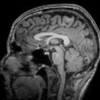
[I, cmap] = imread('mri.tif');
imshow(I,cmap,'Parent',pax2)
hold(pax2, 'on')
th = 0:0.1:2*pi;
plot(pax2, 7*sin(th)+84, 5*cos(th)+90, 'r-','LineWidth',2)
text(pax2, pax2.XLim(2), pax2.YLim(1), 'ML22a',...
    'FontWeight', 'bold', ...
    'Color','r', ...
    'VerticalAlignment', 'top', ...
    'HorizontalAlignment', 'right', ...
    'BackgroundColor',[1 0.95 0.95])
title(pax2, 'Area of activation')
% Overall figure title
title(tcl, 'Single trial responses')
This Community Highlight is attached as a live script.
Several major updates have been introduced to Answers’ reputation system! The updates include a new User Levels system, a new Editor indicator, and updated badges series.
1. User Levels
User Levels have become a best practice for many community sites to adopt. They help build trust in the community and provide recognition to contributors. There are 10 levels in the system and the labels will display next to users’ names throughout MATLAB Answers and on your community profile. We hope to see more users climb the ladder and level up!
2. Editor Indicators
Becoming an Editor (upon earning 3,000 points) is a huge milestone in Answers. Therefore, we introduced the Editor indicator to show our appreciation. From the screenshot below, you will notice a user can have both a User Level and an Editor indicator.
3. Updated Badge Series
Based on our analysis of existing badges, we decided to introduce 2 new badges into existing series and retire an entire badge series.
- The Knowledgeable badge series and the Thankful badge series now have 5 levels.
- The Revival badge series has been archived and is no longer being awarded. If you earned one of these badges, it would still show up in your community profile.
You will find more information on Answers help page . If you have any questions, comments or feedback, free feel to leave a comment below.

Every day, thousands of people ask questions on MATLAB Answers and many of these are about their code. Questions such as “How can I make this faster?”, “Why do I get this error message?” or “Why don’t I get the answer I expect?”. There’s often one crucial thing missing though – the code in question!
Most of the people who answer questions on MATLAB Answers are volunteers from the community. They are answering your questions for fun, to learn more about MATLAB or just because they like to be helpful. This is even true for people such as me who are MathWorks members of staff. It’s not part of my role to patrol the community, looking where I can help out. I do it because I like to do it.
Make it easier to help me help you.
Imagine you’re a volunteer, looking for something interesting to answer. What kind of questions are you more likely to dig into and help an anonymous stranger figure out?
In my case, I almost always focus on problems that I can easily reproduce. I rarely know the answer to any question off the top of my head and so what I like to do is start off with the problem you are facing and use the various tools available to me such as the profiler or debugger to figure it out. This is the fun of it all for me – I almost always learn something by doing this and you get helped out as a side effect!
The easier I can reproduce your issue, the more likely I am to get started. If I can’t reproduce anything and the answer isn’t immediately obvious to me I’ll just move onto the next question. One example that demonstrates this perfectly is a case where someone’s MATLAB code was running too slowly. All of the code was available so I could run it on my machine, profile it and provide a speed-up of almost 150x.
It's not always feasible or desirable to post all of your code in which case you need to come up with a minimal, reproducible example. What’s the smallest amount of code and data you can post that I can run on my machine and see what you see? This may be more work for you but it will greatly increase your chances of receiving an answer to your question.
About Highlights
View announcements and updates in the MATLAB and Simulink product community, including MATLAB Central and Discussions.Share your feedback and join the conversation by participating in polls posted by staff and community power users. These polls appear across MathWorks.com, so look for them while signed in to community pages.