Results for

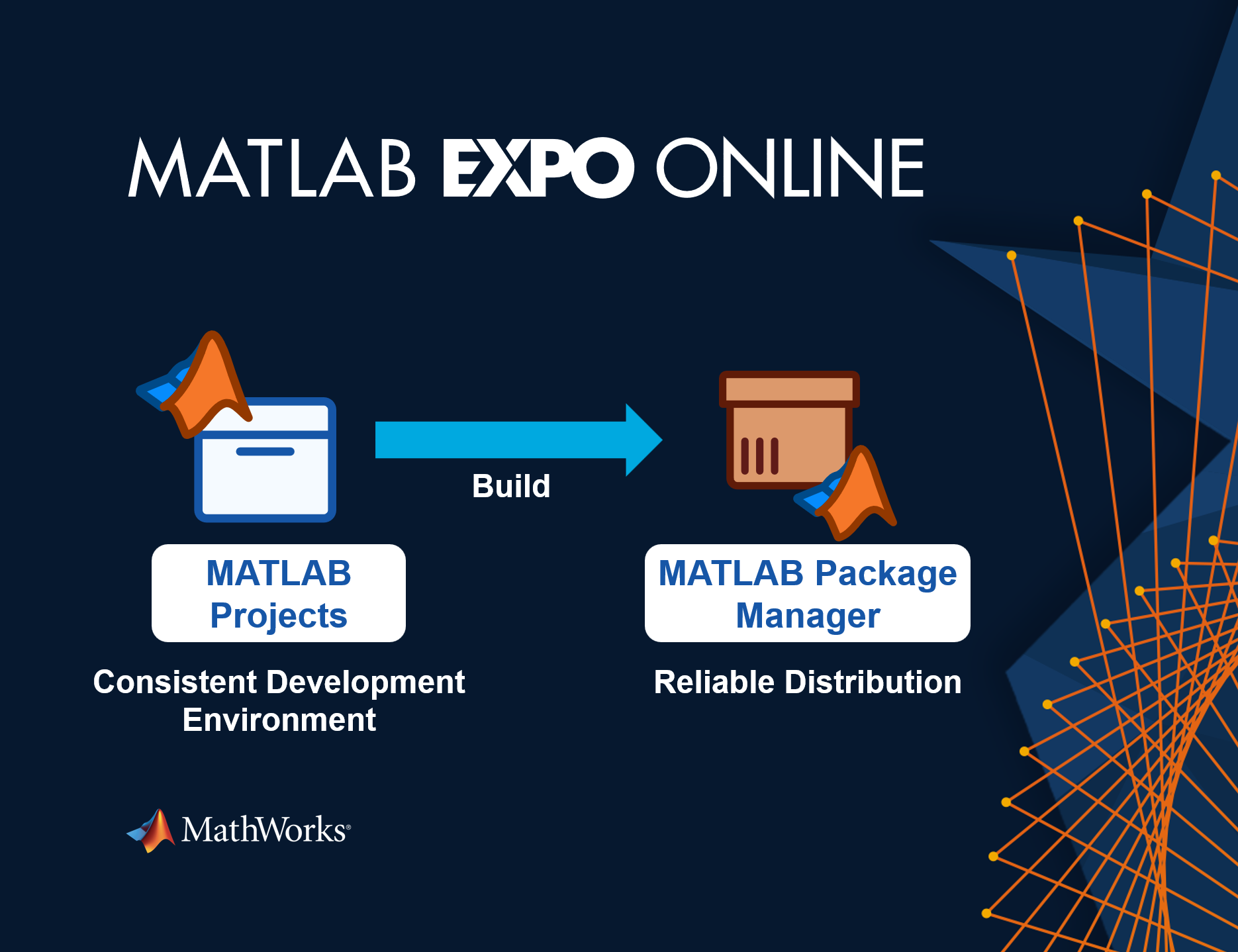
Hi everyone! I am one of the MATLAB Product Managers supporting MATLAB Projects and MATLAB Package Manager. R2026b was a major update for both of these tools, and we are excited to show how you can build software in MATLAB and Simulink using modern software development tools. There is a track session and a workshop that you can attend. Come learn about the simpler matlab.toml file and how your code can finally depend on packages. You can see a preview here:

MATLAB EXPO Online 2026 is almost here! With 40+ sessions across five technical tracks plus nine live, hands-on workshops, now is a great time to explore the agenda and decide what you don’t want to miss.
Whether you’re interested in AI and Agentic AI, Model-Based Design, electrification, robotics and autonomous systems, or Cloud and DevOps, there’s plenty to choose from.
💬 What session or workshop is already on your must-see list? Share it in the comments so others can discover it too!

As a long-standing request from users, we are happy to announce that HDFql now supports MATLAB for managing HDF5 and MAT files.
In short, HDFql (Hierarchical Data Formal query language) is the first high-level, declarative language for managing HDF5 or MAT data. Designed to be as simple and powerful as SQL, it dramatically reduces the learning effort and time required to work with HDF5. With its intuitive syntax, HDFql provides a clean interface for reading and writing HDF5 data across programming languages (C, C++, Java, Python, C#, Fortran, R, and now MATLAB) and platforms (Windows, Linux, and macOS). In addition, HDFql is based on a flexible parallel architecture that transparently leverages available cores and, in MPI clusters, nodes to efficiently process large volumes of data.
Key benefits of HDFql include enabling users to replace dozens of lines of complex HDF5 code with just a few lines of simple code, helping AI models generate better code using far fewer tokens, and making AI-generated code easier for humans to review.
Happy coding, prompting, or reviewing with HDFql in MATLAB!

I am frequently facing issue with the onramp training of not proceeding to the next task or section, even after successfully completion of the current task or complete section.
Agentic AI is changing how engineers work. Join Jason Ghidella to see how AI agents can help accelerate coding, modeling, requirements generation, testing, and validation with MATLAB and Simulink, while maintaining the rigor needed to trust the results.
See real-world demonstrations spanning app building, system modeling, simulation, test generation, and system validation, and discover what the future of AI-powered engineering looks like.

The Ran In tag still shows R2026a on Answers and Discussions (as does the Executing In popup), even though both are actually running R2026b.
This seems to be always be an issue whenver the site updates to the latest release. Seems like it should be pretty straightforward to update those message at the same time the underlying release is updated. Or am I underestimating the complexity of that task?
matlabRelease

What if MATLAB could show you not only the final output, but also how your code reaches that result?
Imagine an interactive tool that visualizes variable changes, function calls, matrix transformations, and execution flow as a program runs. Engineers could watch algorithms evolve, identify unexpected behavior, and understand complex simulations through live visualizations.
The idea is to build a Live MATLAB Execution Explorer that combines code tracing, variable timelines, and 3D engineering simulations in one interface.
From debugging control systems to teaching numerical methods, this could transform how students, researchers, and engineers interact with code.
The challenge? Capturing execution data efficiently without significantly affecting performance.
The vision: Turn programming from something we read into something we can see, explore, and understand.
#MATLAB #Simulink #EngineeringInnovation #Simulation #DeveloperTools

I recently had an idea for a side project: building an app/extension that can interactively follow simulations and visualise the live flow of code execution.
For this, I would need access to variables, datasets, and the function call stack during execution, ideally without interfering with the actual code execution.
However, I found that MATLAB's current architecture makes this difficult, as the entire application runs in a single thread and there are no publicly exposed APIs to access runtime variables without interrupting execution.
Can anyone suggest a possible workaround or an alternative approach to achieve this?
I recently had an idea for a side project: building an app/extension that can interactively follow simulations and visualise the live flow of code execution.
For this, I would need access to variables, datasets, and the function call stack during execution, ideally without interfering with the actual code execution.
However, I found that MATLAB's current architecture makes this difficult, as the entire application runs in a single thread and there are no publicly exposed APIs to access runtime variables without interrupting execution.
Can anyone suggest a possible workaround or an alternative approach to achieve this?
Ready to explore the latest advancements in engineering and science with MATLAB and Simulink?
MATLAB EXPO Online 2026 is taking place November 4-5, 2026, and registration is now open. Join engineers, researchers, educators, and industry leaders from around the world for two days of technical presentations, hands-on workshops, customer success stories, and live Q&A sessions.
What to Expect
✅ 40+ interactive sessions featuring MathWorks experts and industry leaders
✅ 5 technical tracks, including AI and Agentic AI, Digital Engineering and Model-Based Design, Electrification and Energy Systems, Robotics and Autonomous Systems, and Cloud, CI/CD and DevOps
✅ 9 live, 90-minute hands-on workshops using MATLAB Online and Simulink Online
✅ Keynotes on emerging engineering trends and the latest MATLAB and Simulink capabilities
✅ Opportunities to connect with experts and peers from around the globe through live Q&A and networking activities
Whether you're just getting started or are an experienced MATLAB and Simulink user, you'll find content tailored to a range of experience levels and application areas.
Participation is free, but registration is required. Reserve your spot and start building your personalized agenda today.
What session or topic are you most excited to explore this year? Let us know in the comments!

Hello everyone
After you read the blog post about all the new goodness in MATLAB 2026b I am sure you'll rush out to install it. If you do one more thing, however, I suggest that you install this add-on from MATLAB File-Exchange since it will make object-oriented code much faster.
"How much faster?" I hear you ask. This much faster:
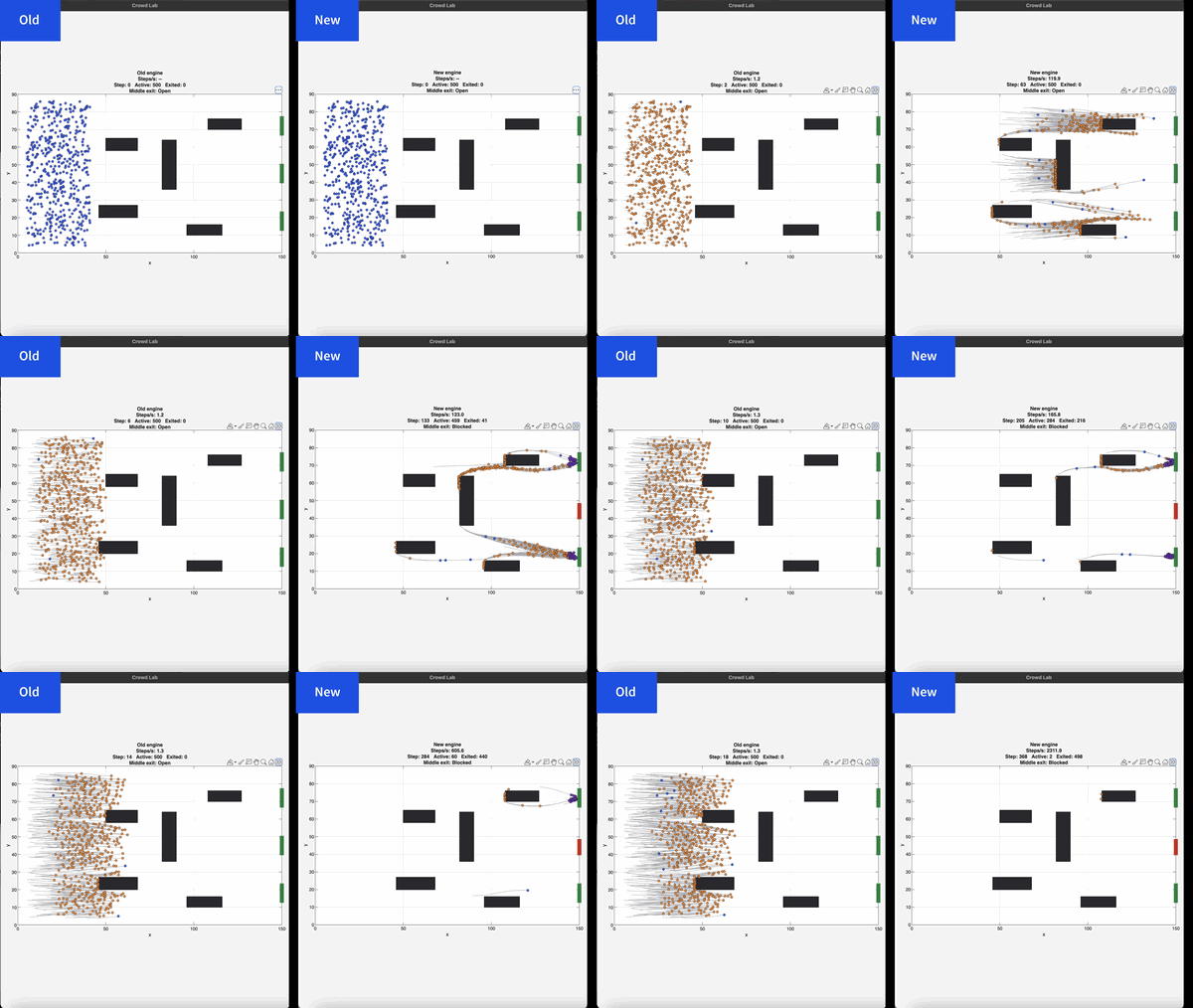
If you prefer numbers to pictures, all of the details are in a blog post from when we released the limited beta: Objects are about to get much faster in MATLAB » The MATLAB Blog - MATLAB & Simulink
"Why didn't we make this the default?" I hear you ponder. Because there is a small chance that the new system will break your code. It's a very small chance and I've personally not seen any code that does get broken. However, such code does exist and we want to be give you the chance to discover this and work with us to make your code compatibile before it does become the default.
I hope you enjoy using 2026b as much as we enjoyed making it.
Cheers,
Mike
I keep forgetting the functions and lack of pratices would be the reason

Extremely--I have real work to do
24%
Maybe talk about something else?
24%
Neutral
24%
Not very much
24%
Let's talk about nothing else
5%
21 votes

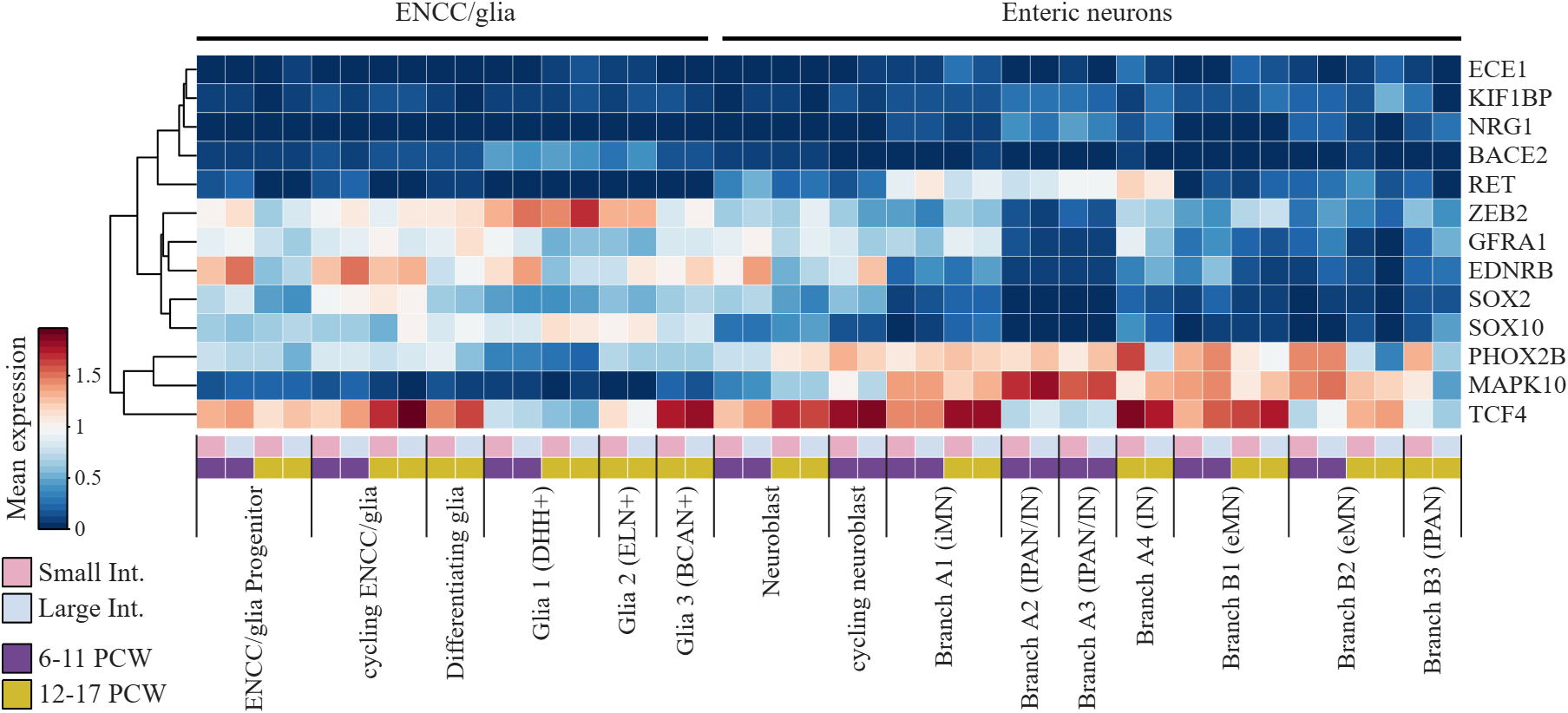
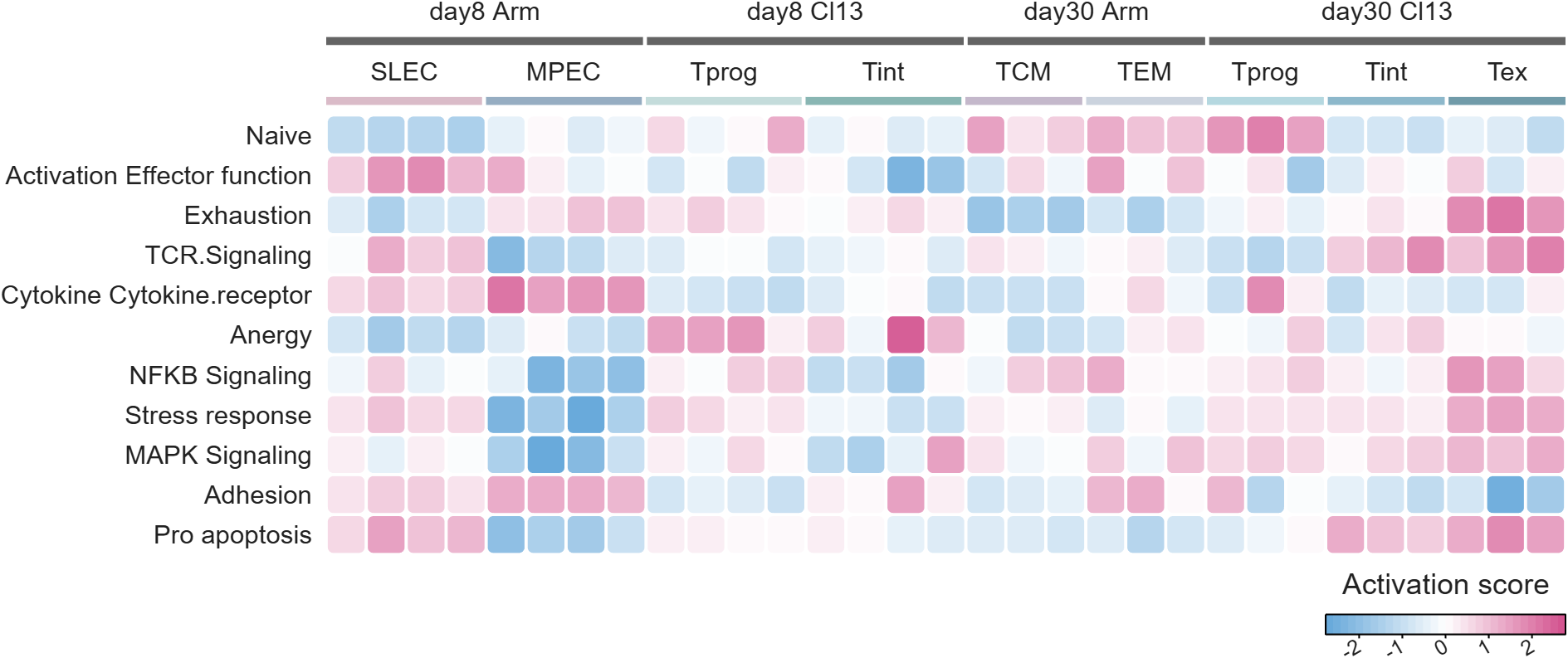
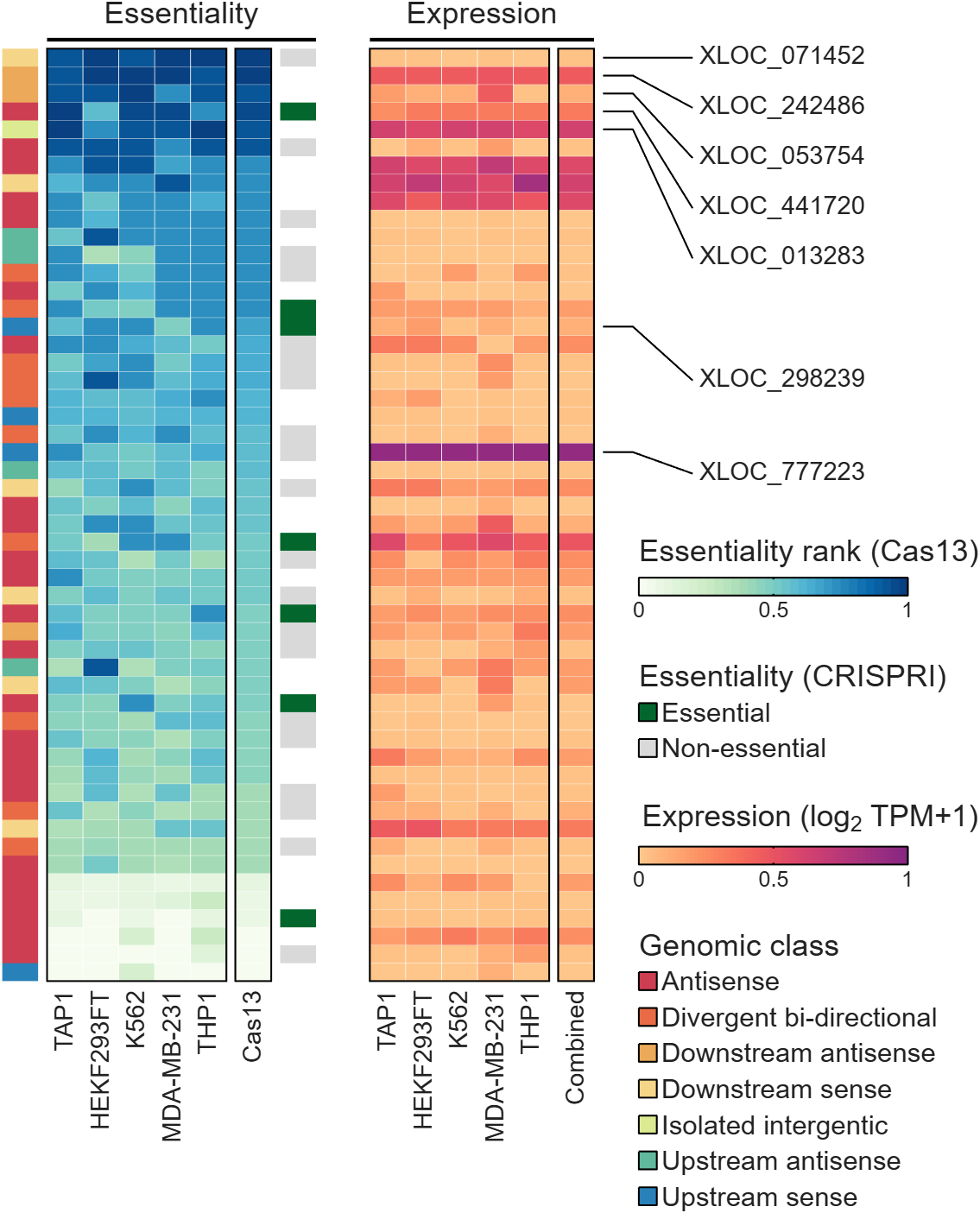
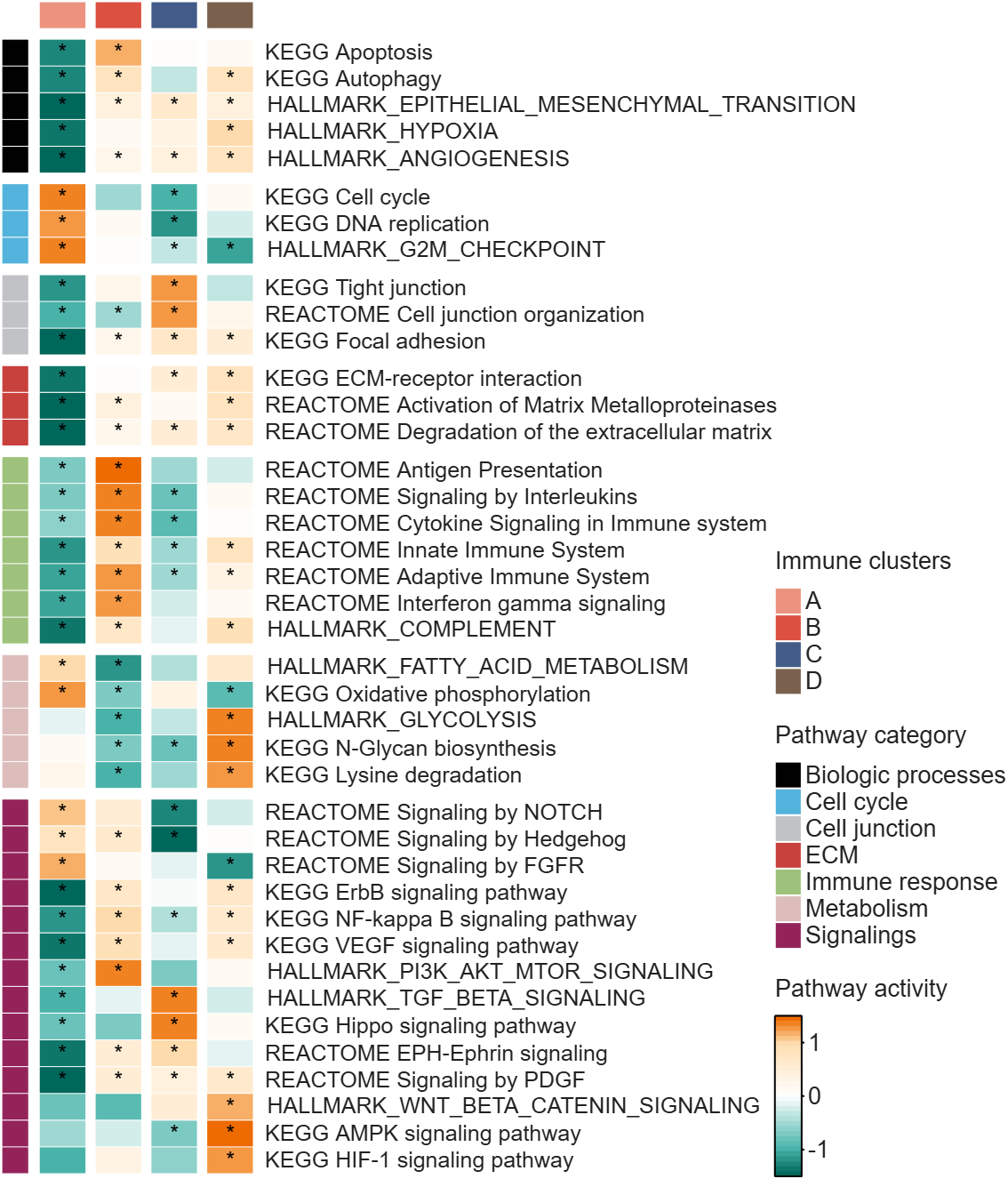
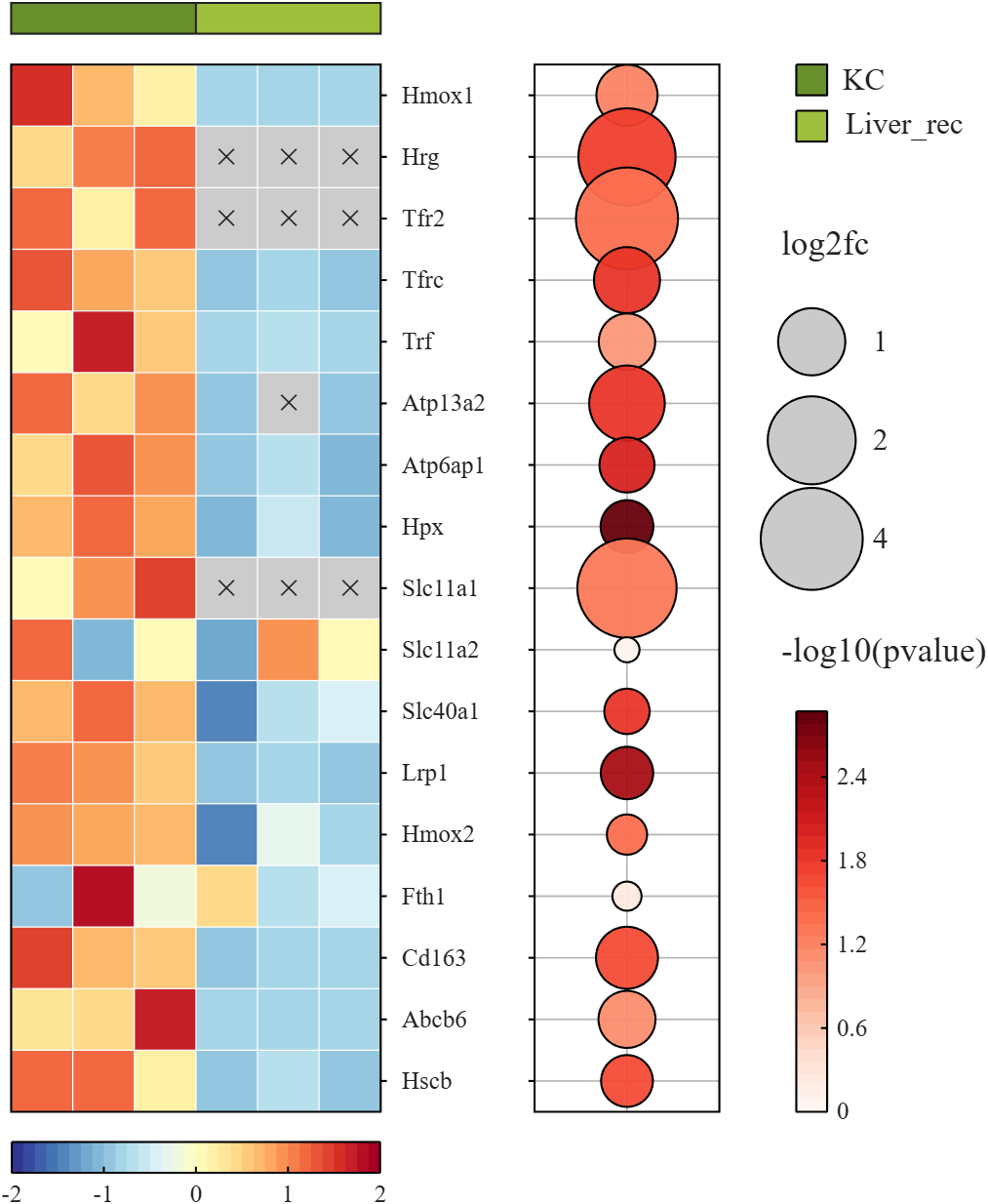
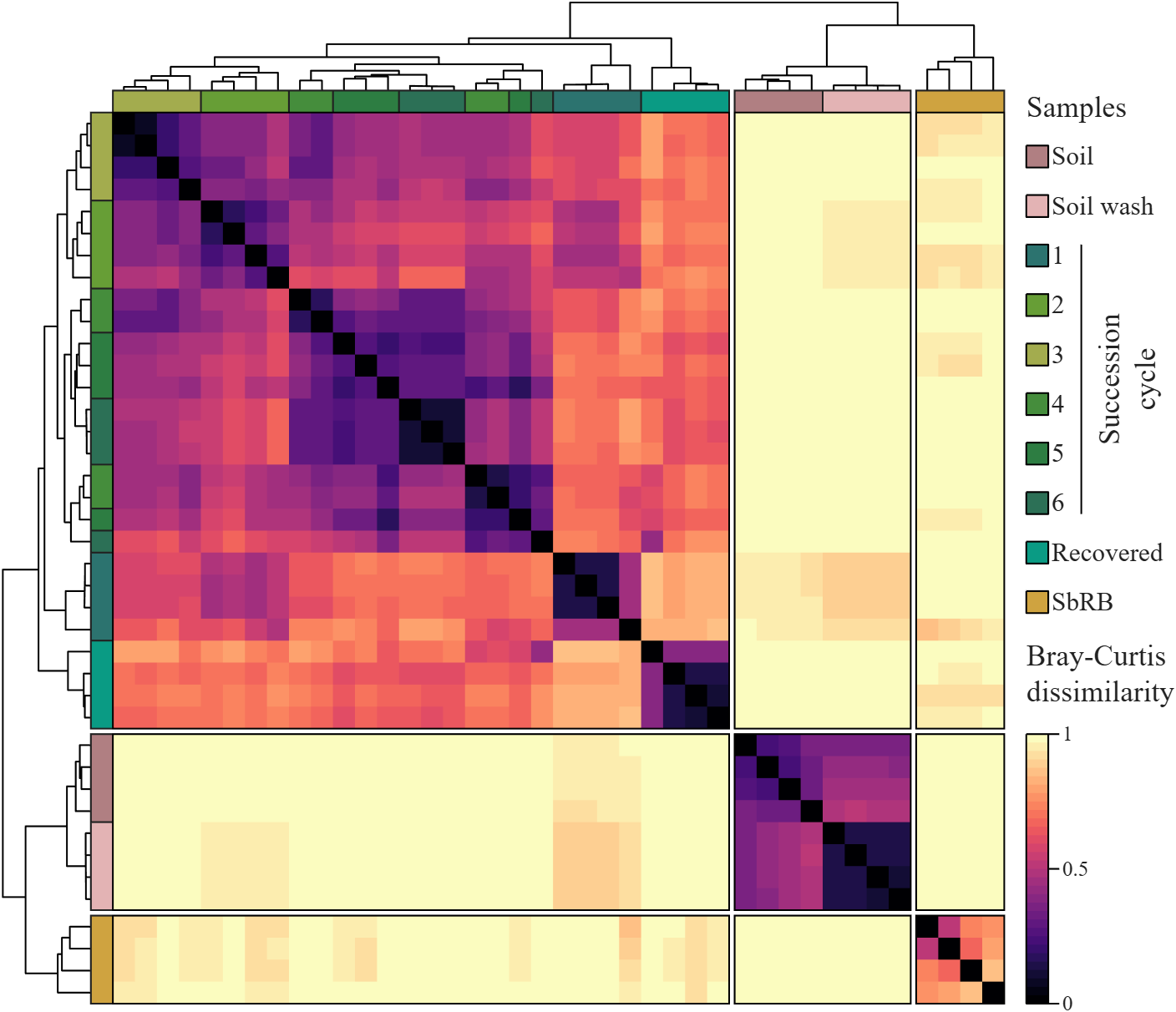
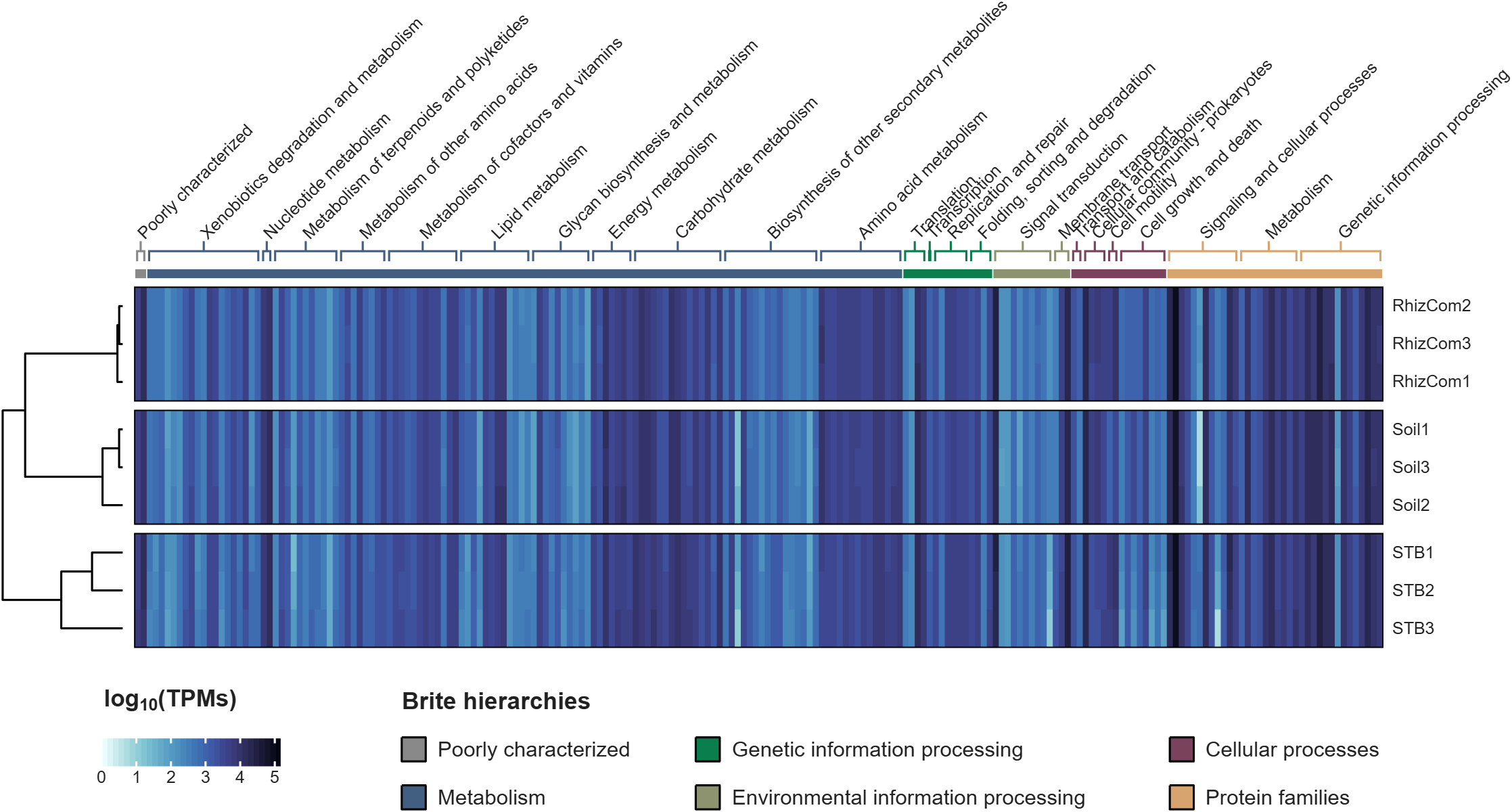
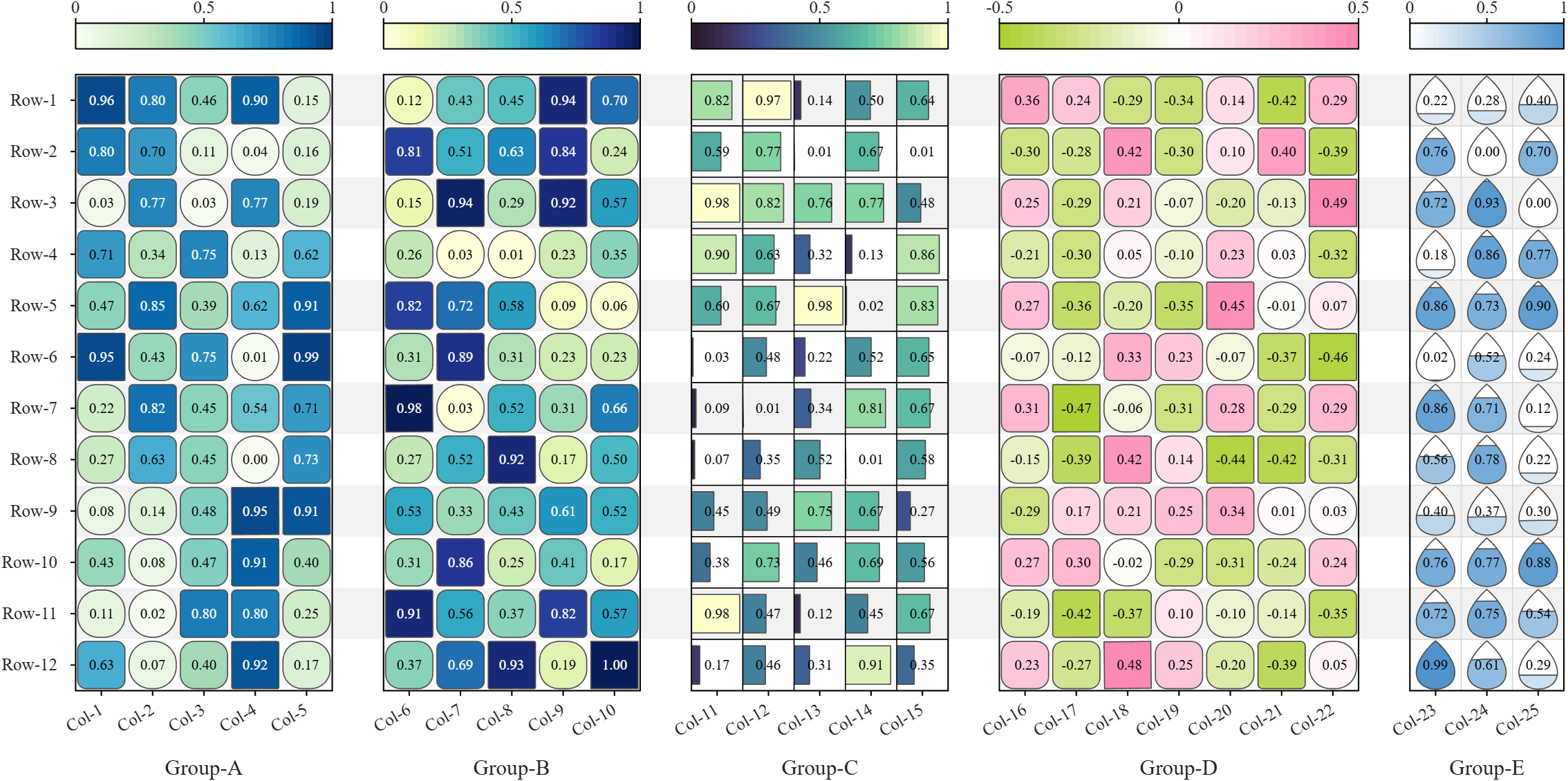
All these examples are plotted using SHeatmap. For details, please refer to the relevant examples in the demo_SColorbar folder included in the toolbox.
Hi everyone
Some of my colleauges at MathWorks are conducting a survey on how people use science and engineering file formats such as NetCDF, HDF5, Zarr and so on.
It will only take a few minutes to fill out and is completely anonymous unless you want to be contacted. Your thoughts, details of usage in your domain or industry, and current friction points will help us improve MATLAB to better support the kind of work you do in the future!
If there's anything not covered by the survey that you'd like to mention, feel free to reply to this thread.
Cheers,
Mike

TokaLab is an open-access virtual tokamak platform built in MATLAB for nuclear fusion modeling, diagnostics, inverse problems, and computational experimentation.
- App installer for MATLAB Online — run TokaLab directly in your browser.
- Two new tutorials covering the core modules, SimPla and SynDiag, in detail.
- Two new modules: TokaPlot for advanced plotting, and SynRad for radiation generation.
- Real tokamak geometries, supporting more realistic tokamak modeling.

You can use MATLAB's rat() function to obtain a rational approximation of a decimal value. For example, rat(0.625) gives a representation equivalent to 5/8. If you simply want to verify decimal/fraction conversions without running MATLAB, a browser-based decimal-to-fraction calculator can also be useful.

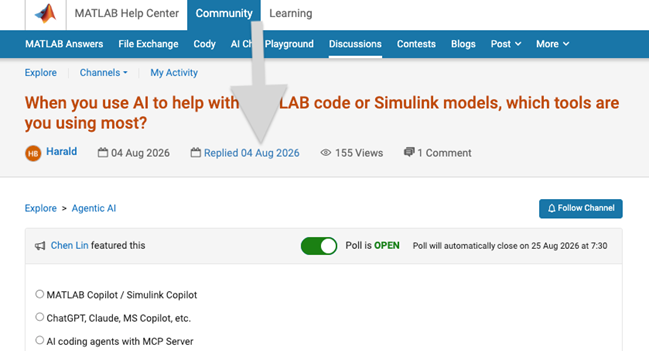
We heard your feedback that it can be difficult to find the latest comment or reply in long threads. To make this easier, you can now jump directly to the latest activity by clicking the latest activity date link at the top of the leaf page. See the screenshot below for an example. This is similar to the experience of MATLAB Answers today.
Thanks again for sharing your feedback and helping us improve the experience.

Very Favorable
21%
Favorable
22%
Neutral
20%
Unfavorable
17%
Very Unfavorable
20%
886 votes

💡About
First, I would like to thank everyone who has downloaded my eds-classification repository so far. This post is meant for those who are currently using the repository or may be interested in using the repository in their research.
To keep things short, I have released v2.0 of the eds-classification series on GitHub and the File Exchange. The update comes with significant changes to the repository structure and functions, and so it is worth noting that the update will likely be incompatible with any scripts written using prior releases.
The update provides several key new features that are meant to improve usability and producton. If you are interested in seeing how eds-classification may help you with your mineralogy research, please check out the release notes for v2 and consider giving the repository a try.
Respectfully,
Austin
📝Release Notes
The full release notes for v2 are available here: https://github.com/weber1158/eds-classification/releases/tag/v2.0
⬇️Download Now

