Results for

Hello!
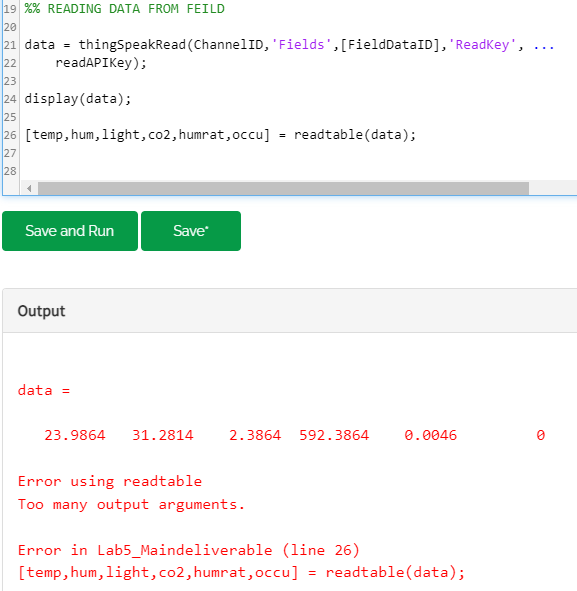
Im trying to split my Data into 6 different values but the system wont work
I thought this should work, but im not sure how my data is being sent as,
its being sent as a a table, but thats about it. Anyone have any idea what ive done wrong?

Hello, Recently I have started working on a thermal management project at my Institute. I am taking some hints from en example of EV thermal management provided by MATLAB. I am having an issue in deciding how the battery current and powertrain heat load is calculated as a function of vehicle speed. It would be helpful if someone could provide some links or references regarding this. (Also, attaching a screenshot of the example for better understanding)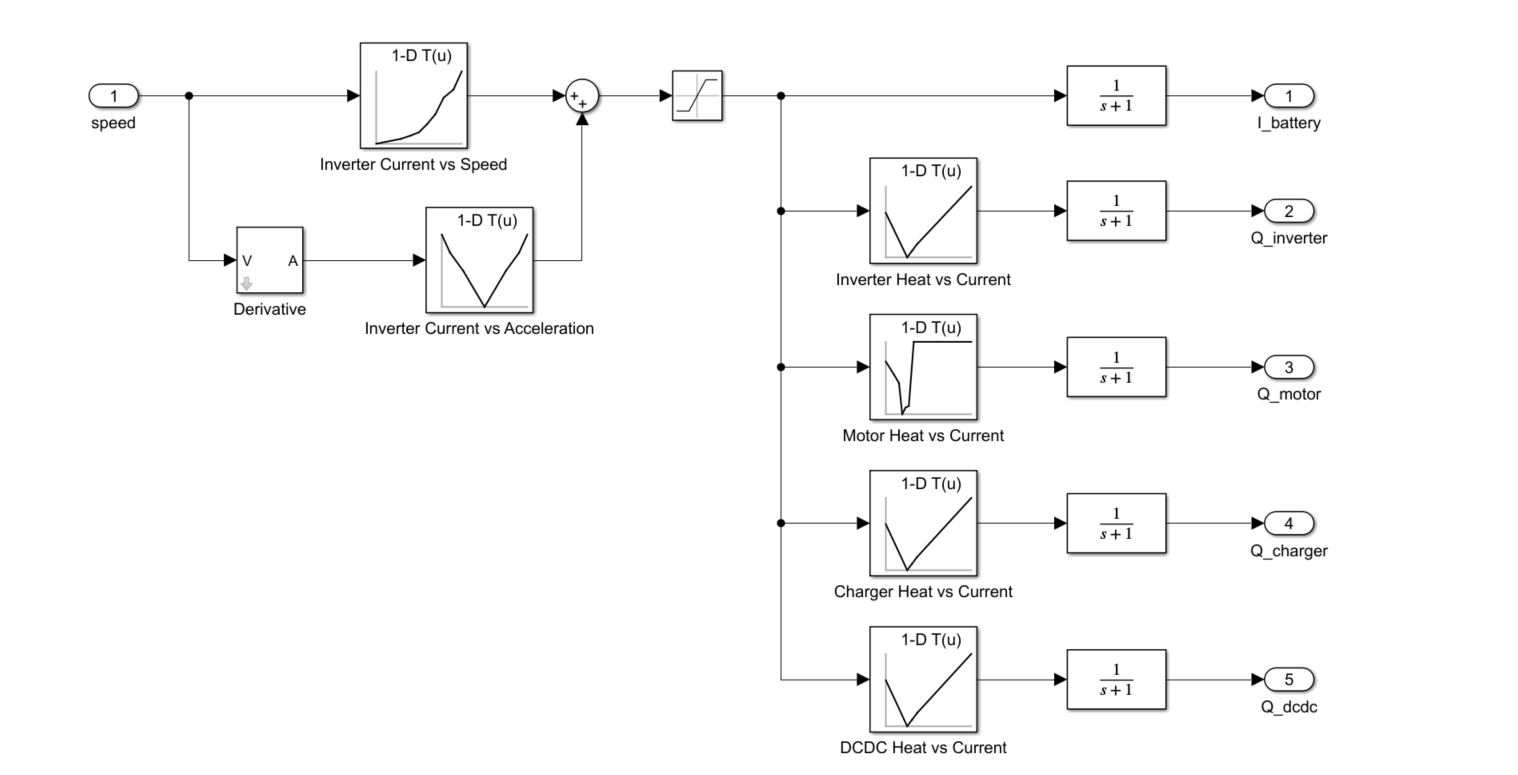

I've noticed a few times that a bulk update can take a while to appear. Normally a few minutes at most but at the moment it seems to be much longer, hours maybe. I know the message I sent had been received as I get an RC = 202 as normal. I sent a non bulk update via the browser and it appeared imediately.
Is this something I have to get used to ? It's a problem when I first set up a device and look at Thingspeak to check it's sending messages correctly (I send a bulk update with 1 message when it first connets). Even a single data point sent in batch form is not appearing.
Update: the data has started appearing but it's still hours behind.

I am processing ocean and climate data (1982-2022). Here, I have table which having heatwaves events details. Now, I want to sort the data month wise and also seasonal wise (summer:October- February, and winter:March-September), and then i wanted to plot mean seasonal and trend.
Sample file is attached. length of original file may vary in size.
Thanks in addvance.

I can't get my dynamic position data to display.My JASON body looks like this:
{ "api_key": "XXXXXXXXXXXXXXX", "created_at": "2023-05-15T23:17:54.000Z", "field1": 50.71875, "field2": 20.375, "field3": 4.1132812, "field4": 91.625, "field5": 1523985, "lat": -25.8152875, "long": 152.58867187500002, "status": "Bauple" }
Fields 1-4 display fine, as does the Status field. However the position map always shows a balloon at (0,0). I've tried "lat" and "latitude", "long" and "longitude", but no luck. Any ideas?

This is weird to me.
I have an IP address., I am connected to the MQTT server.
I see the number of entries increasing in my channel. However, no data visible in the graph.
This is the AT command to the SIM7080 module : AT+SMPUB="channels/**********/publish",37,1,1
And then I send the payload : field1=1&field2=2&field3=3&field4=400
As said, each time a send a request I see the number of entries increasing, but no real data.
The export shows me this :
created_at,entry_id,field1,field2,field3,field4
2023-05-15 17:33:40 UTC,1,,,,
2023-05-15 17:34:59 UTC,2,,,,
2023-05-15 17:36:16 UTC,3,,,,
2023-05-15 17:37:31 UTC,4,,,,
2023-05-15 17:38:48 UTC,5,,,,
Any idea why the content of the field is empty?
Thanks

I have a channel where I upload measurements from a BME280 sensor, but on the Pi Pico I calculate the min/avg/max temperature every 10 minutes.
I never have created a visualisation from scratch before. Usually, I can continue from a working example, but I know nothing (yet) about the mathlab language...
Can someone show me how to create a diagram of my temperatures, were the average temp is a (thick) solid line, and the min/max temperatures are a filled out area above and below?

Is it possible to change the color (Background and the Meter itself) of the Gauge Widget ?
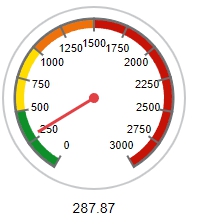
The Widget Edit Menu will only offers Colors for the range Indicators, but not for the Gauge itself.
The background in black would be ideal.

I have created a mqtt device in thingspeak, allocated a channel for pub and sub. I noted down the credentials for connection when the device was created. I tried to connect using the host mqtt3.thingspeak.com port 1883 and the supplied credentials(user name and password). I tried with node red (mqtt node) and also mqtt lense but still cannot connect. Would appreciate advice some advise. Thanks

Up until yesterday (May 6, 2023), time controls were working fine in regards to running my Analysis code recurring at specified intervals. Now they will no run more than once? I’ve tried creating new time controls but no luck. I have to manually run the code to get updated results.

How can I display a string value using thingspeak visualization ? for example name, gender, bloodgroup,etc.

Hello - I have a new account and when I click My Channels, I don't get a drop down menu with choices like My Channels, My Image Channels, ect. I only get Public Channels when I click the Channels tab. I can't select My Channels. Could someone please help me?
Thank you

We need to do IoT work for our university project. I want to open a channel without any profit motive so that I can see the statistics. New Channel option does not appear.
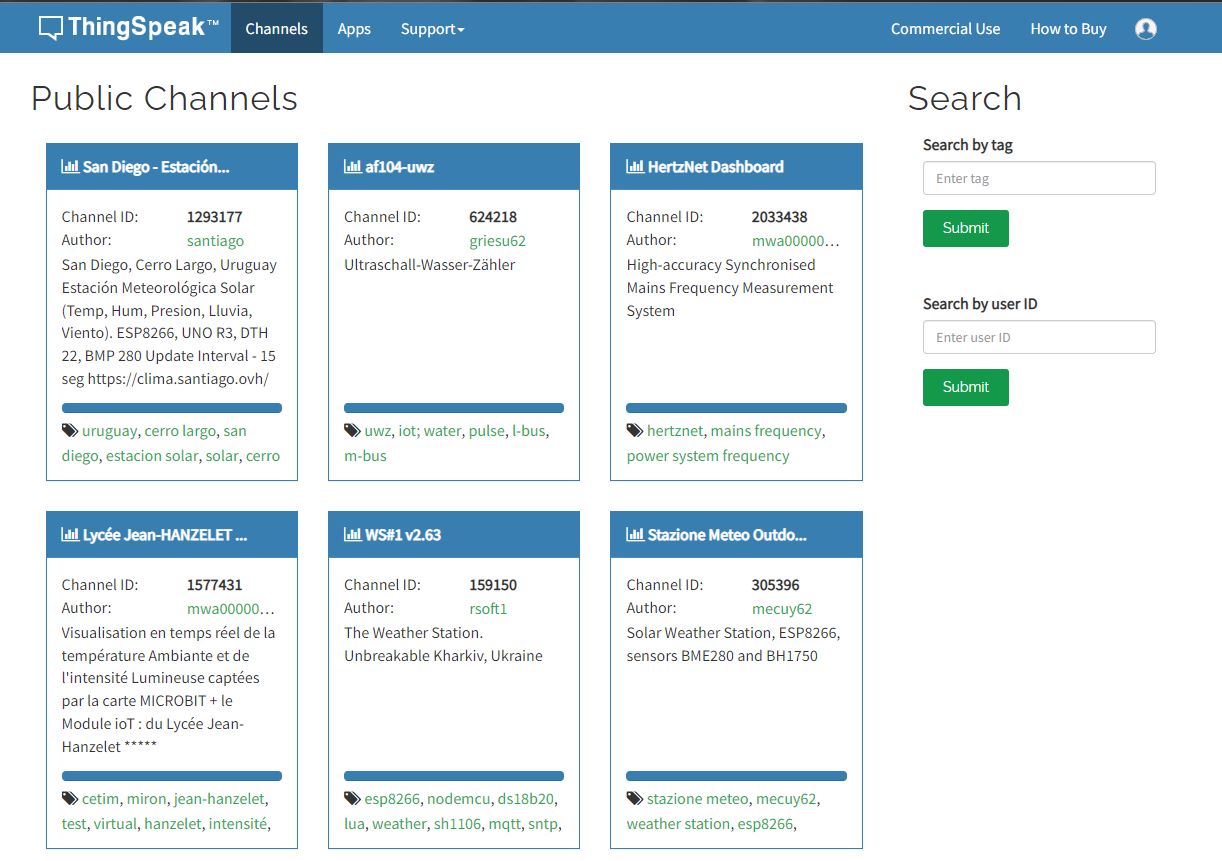

After signing in pop up showing succesfully signed in ,but its getting signed out automatically
plz help me and comment if you are facing same problem

I try this code in MATLAB:
This code working fine:
readChannelID = [1788078];
fieldID1 = [1];
readAPIKey = '';
[data, time] = thingSpeakRead(readChannelID, 'Field', fieldID1, 'NumPoints', 30, 'ReadKey', readAPIKey);
plot(time, data);
This code have error : Unrecognized table variable name 'x1'.
readChannelID = [1788078];
fieldID1 = [2];
readAPIKey = '';
[data, time] = thingSpeakRead(readChannelID, 'Field', fieldID1, 'NumPoints', 30, 'ReadKey', readAPIKey);
plot(time, data);
What i do wrong? Thanks.

Hello,
I want to make a weather forecast for the next 3 days using the data I received from my sensors on the thingsspeak server I gave the link above, how can I do this?
I need to do it with mathlab code in Thingsspeak system but I am very new to Mathlab.
Thanks for your help.
Bill

I have used this code but nothing is showing in my channel any suggesrtions please- the internet connects and the temperature output shows but nothing in my channel
#include <OneWire.h>
#include <DallasTemperature.h>
#include <WiFiNINA.h>
// Data wire is plugged into port 2 on the Arduino
#define ONE_WIRE_BUS A0
// WiFi credentials
const char* ssid = "xxxxxxx";
const char* password = "xxxxxxxxx";
// ThingSpeak settings
const char* server = "api.thingspeak.com";
const char* apiKey = "xxxxxxxxxxxxxxxx";
const int httpPort = 80;
// Setup a oneWire instance to communicate with any OneWire devices (not just Maxim/Dallas temperature ICs)
OneWire oneWire(ONE_WIRE_BUS);
// Pass our oneWire reference to Dallas Temperature.
DallasTemperature sensors(&oneWire);
// create an instance of the WiFi class
WiFiClient client;
void setup(void)
{
// start serial port
Serial.begin(9600);
Serial.println("Dallas Temperature IC Control Library Demo");
// Connect to WiFi network
Serial.print("Connecting to WiFi...");
while (WiFi.status() != WL_CONNECTED) {
WiFi.begin(ssid, password);
delay(1000);
Serial.print(".");
}
Serial.println();
Serial.println("WiFi connected");
// Start up the library
sensors.begin();
}
void loop(void)
{
// call sensors.requestTemperatures() to issue a global temperature
// request to all devices on the bus
Serial.print("Requesting temperatures...");
sensors.requestTemperatures(); // Send the command to get temperatures
Serial.println("DONE");
Serial.println(",");
Serial.print("Temperature for the device 1 (index 0) is: ");
float tempC = sensors.getTempCByIndex(0);
Serial.println(tempC);
delay(1000); // update sensor reading each one second
// Send data to ThingSpeak
if (client.connect(server, httpPort)) {
String data = "&Field 1=" + String(tempC);
Serial.println("Connecting to ThingSpeak...");
client.println("POST /update HTTP/1.1");
client.println("Host: api.thingspeak.com");
client.println("Connection: close");
client.println("Content-Type: application/x-www-form-urlencoded");
client.println("Content-Length: " + String(data.length()));
client.println();
client.println(data);
client.println();
Serial.println("Data sent to ThingSpeak");
} else {
Serial.println("Error connecting to ThingSpeak");
}
client.stop();
delay(15000); // Send data to ThingSpeak every 15 seconds
}

I'm running the same code as a week ago but now it reports the error: MATLAB code has timed out.

Currently, I am on a test account with Thingspeak but it would be no problem to upgrade to a subscription plan if it provides the required features.
I would like to edit the time scale (currently only around 10h) and export time (currently only around 24h) for the graphs and the export function in the public channel.
How is this possible? It would be nice to have the option to plot 12h, 1d, 1w, 1m etc. in the graphs and also have the respective export function.

