How to play one-button games submitted as part of this year's mini hack?
If you are as excited as me to play these games but somehow something is stopping you from doing just that, you are at the right place. Follow the steps below and you will be playing in no time (maybe some time depending on your browser, network speed, etc.):
- Click on the game you like the look of (let's say, something that is transformative).
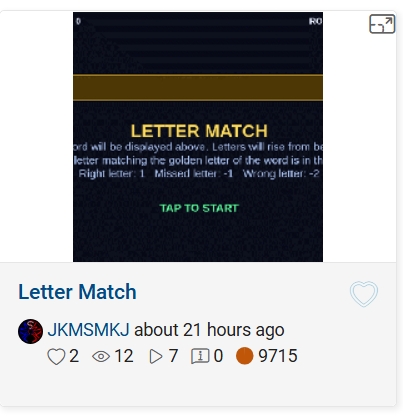
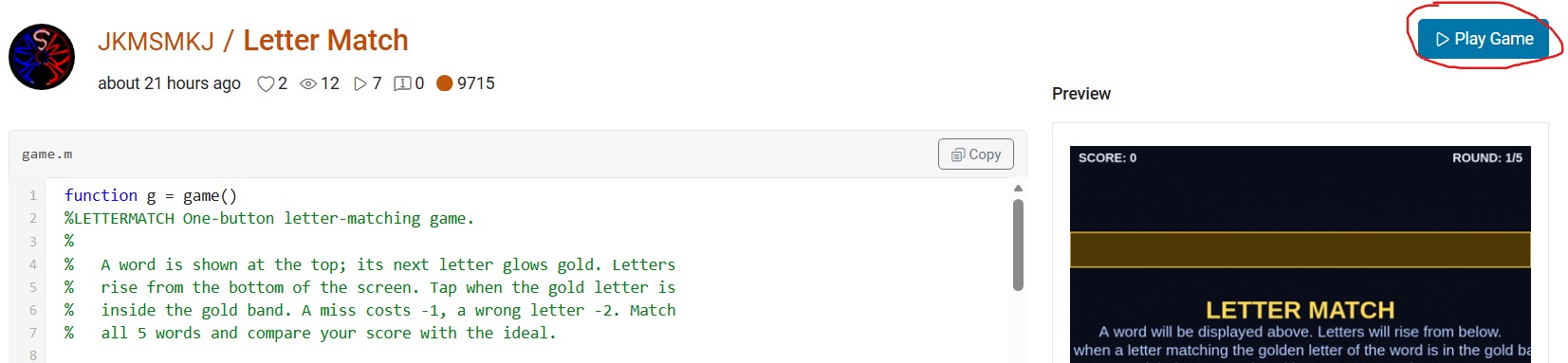
- This will open up its details page with the game code, preview video and the "Play Game" button. Click the video or the button.
- This will open up "MATLAB Drive" in a new browser window with a preview screenshot of a half-played game and a "Run this App" button. Click this button and nothing will seem to happen at first. And nothing will happen at any other subsequent tries. But don't worry, that's why you're here.
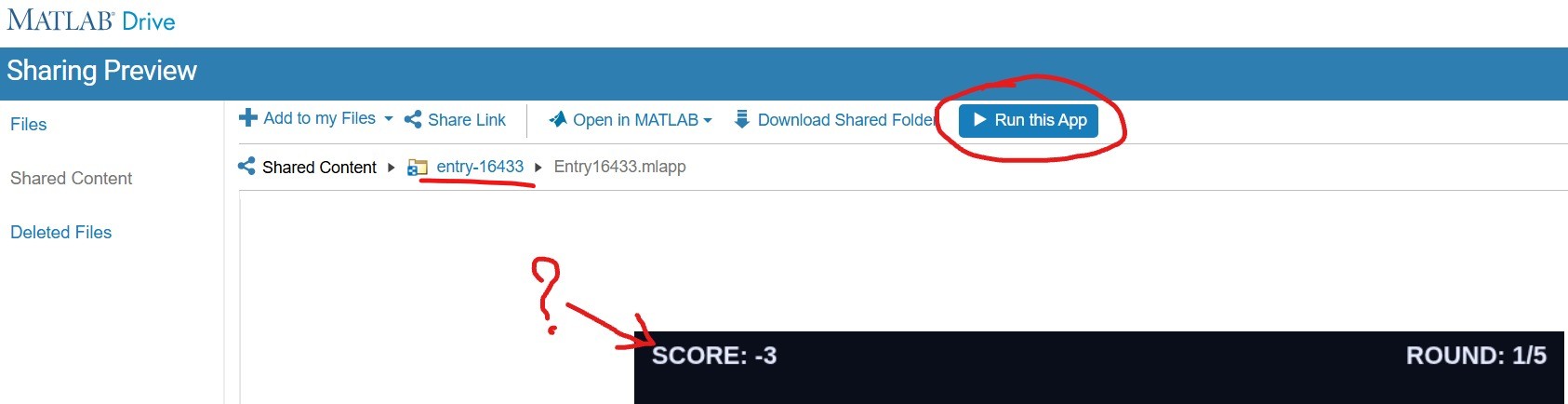
- Click on the "entry-×××××" blue hyperlink just above the preview area (underlined in red above). This will take you to a list of two files but hide the crucial blue button. Click on the "Entry×××××.mlapp" file to resurface the blue button.
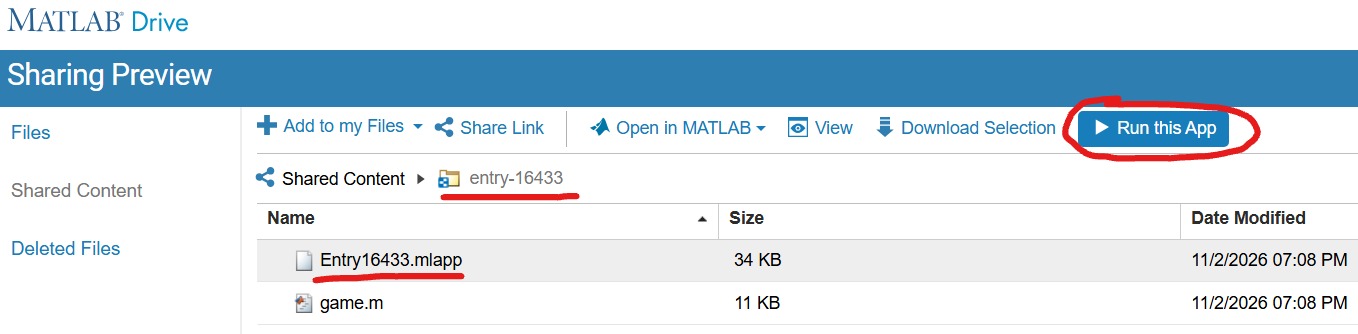
- With expectant hands, click the "Run this App" button. This time it will reload the "MATLAB Drive" and put it in the mode to run your chosen game.
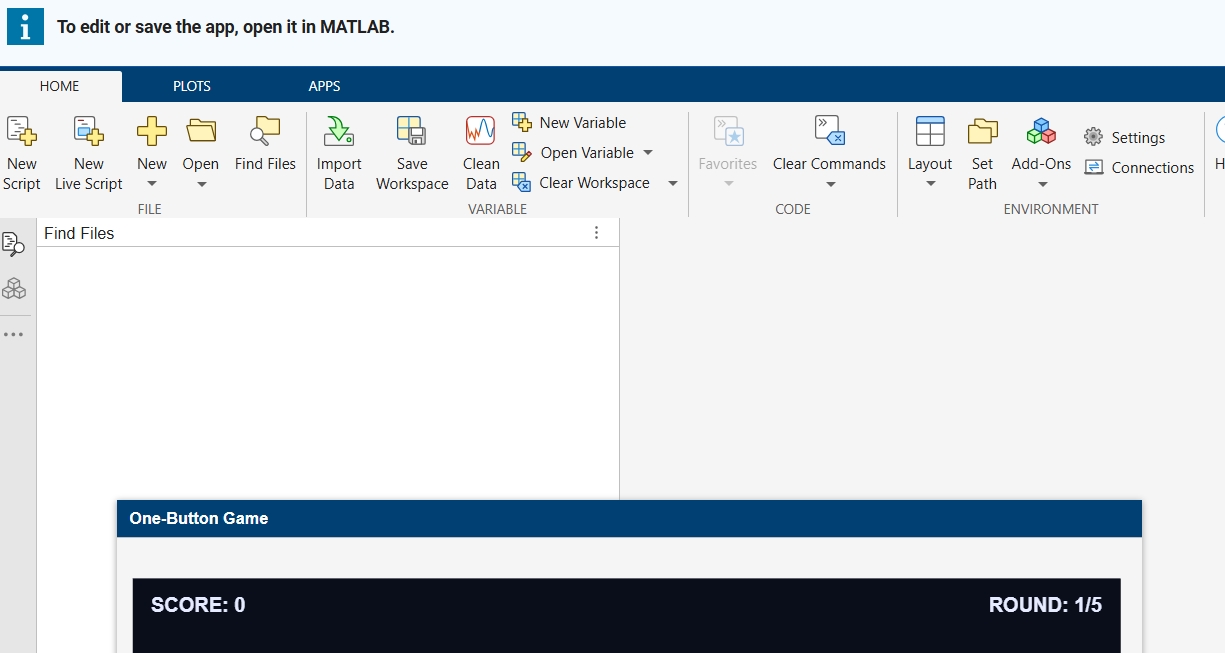
- Finally, you are where you expected to be in the point 3! Enjoy your game.🥳
3 Comments
Time Descending
Thanks for sharing the tips. Clicking 'Run this appl button should take you to the game play page.

Hi @Chen Lin, maybe it's Edge browser, but it doesn't work for me at point 3. In fact, "Play Game" at point 2 should already take one to the game play page, shouldn't it? 🙂
Hello JKMSMKJ. Ideally, yes. Since we are using MATLAB drive, it has to be point 3. I understand it's not the best experience.
Sign in to participate
Tags

