Building Purrfect Fit: A One-Button Pixel Cat Game in MATLAB
By SunHuilin
What happens when a tiny pixel cat tries on eight different personalities? Sometimes you get instant cuddles. Sometimes your sofa gets a new ruler.
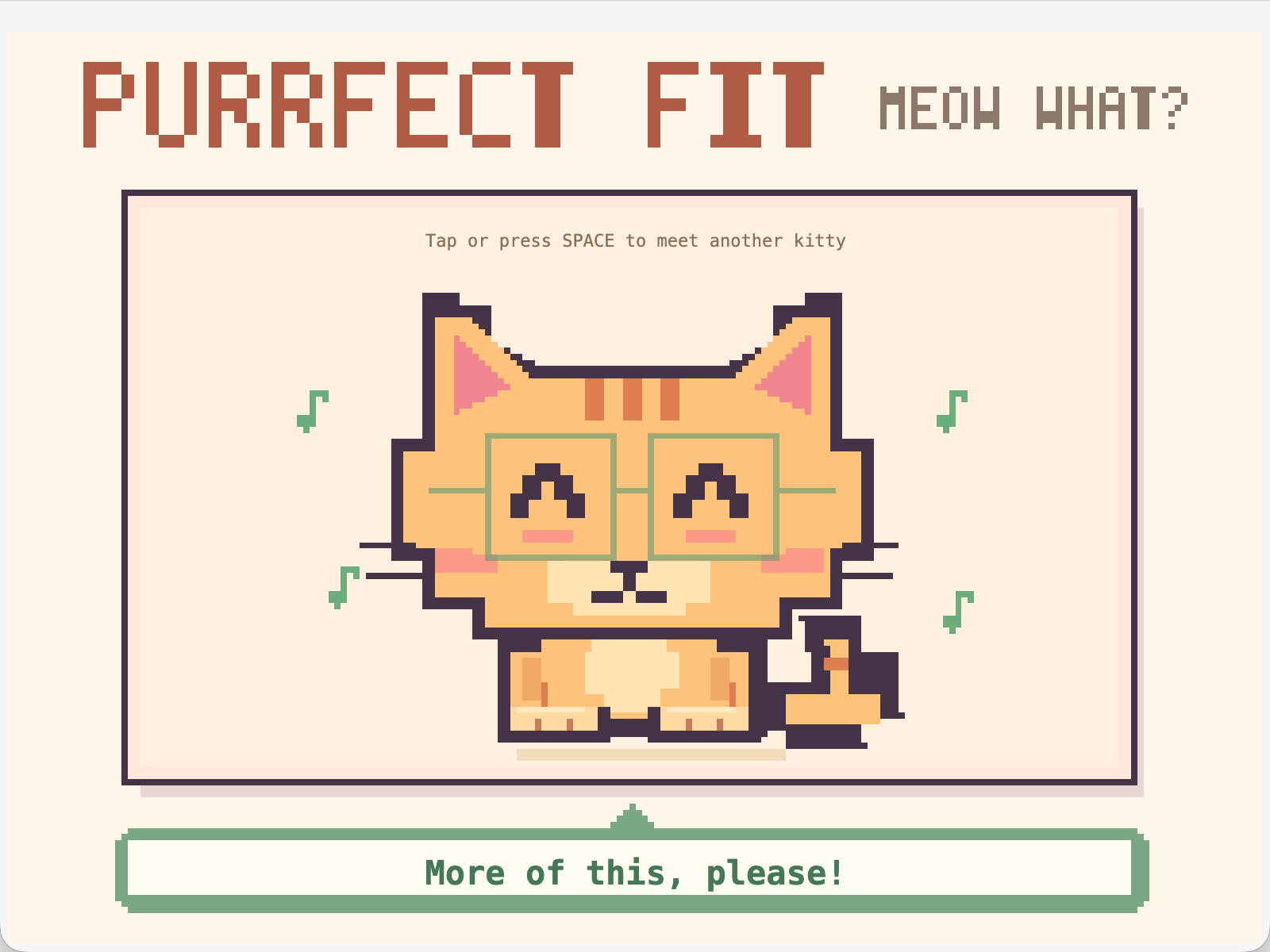
Purrfect Fit is my entry for the MATLAB One-button Game Mini Hack. Different pairs of eyes scroll through a cat's glasses. Tap or press SPACE to stop them. Fit the eyes inside the frames, and the kitty reveals its personality with a short message and matching pixel effects. Miss the target, and the kitty offers a little encouragement. Tap again to try another round.
Play the game: Purrfect Fit
Here are four techniques behind the game. The snippets below are simplified illustrations of the implementation, rather than a complete runnable game.
1. Treat an RGB array as a tiny canvas
The artwork starts as a 150-by-200-by-3 RGB array, displayed across an 800-by-600 game area. One artwork pixel occupies four game-coordinate units in each direction. Rectangles, filled polygons, and small bitmap patterns build the cat, glasses, lettering, and effects without loading external image files.
The key is to create the image object once, then update its CData:
% During initialization:
h = image(ax,[2 798],[2 598],background);
% During rendering:
frame = background;
% Draw the moving elements into frame here.
h.CData = frame;
The static background is prepared during initialization. Each render starts with that background and adds the animated elements. This avoids accumulating drawing operations from previous frames and keeps the number of graphics objects fixed.
I also draw the title with small bitmap letters. That gives the main heading a consistent pixel style without depending on an installed pixel font. The longer instructions and feedback use MATLAB text objects for readability.
2. Separate scrolling, stopping, and feedback
The game has three states: scrolling, success, and miss. The same button stops the eyes during scrolling and starts another round after the result.
Scrolling uses elapsed time rather than a fixed distance per update:
phase = mod(phase + speed*dt,192);
There are eight eye designs, each occupying a 24-row tile, so the strip repeats after 192 artwork pixels. Using dt makes the intended scrolling speed independent of the number of updates per second, although a slow display can still make fast motion harder to judge.
One small detail matters: when a press arrives, I check the current phase before advancing the strip. This keeps the timing decision tied to the state that was just rendered.
The fit test uses the visible vertical bounds of each eye design. Both bounds must lie inside the target opening; checking only the center could accept eyes that still stick out of the frame. On success, the strip snaps to the centered position for the final portrait.
A brief restart guard prevents an immediate second press from dismissing the result before the player can read it.
3. Animate the tail with a small coordinate shift
The cat's tail uses filled polygons. Instead of storing multiple animation frames, I shift their horizontal coordinates with a sine wave:
d = 3*sin(t*3);
x = x + round(d*(118-y)/21);
The vertical weighting keeps the base relatively steady while the tip moves more. Rounding preserves the pixel-art appearance.
Layering is just as important as motion. I draw the moving tail first, restore the static foreground artwork through a mask, and then draw the eyes and glasses. This keeps the tail behind the body and prevents it from painting over the face.
4. Store small patterns compactly, then reuse them
The eight eye styles share a palette and a common rendering path. Their pixel data is stored as compact runs and decoded during initialization, so rendering can reuse the prepared arrays.
The personality effects use a different representation: seven integers describe a 7-by-7 binary pattern. Each bit says whether one pixel is filled:
if bitget(pattern(row),8-col)
% Draw this pixel using the personality's color.
end
The same drawing loop produces paws, lightning bolts, sleepy Zs, sparkles, spirals, question marks, hearts, and musical notes. Changing the pattern and color gives each personality its own visual feedback without duplicating the effect renderer.
The messages work similarly: each eye style has three possible success lines, while misses draw from a shared pool of encouraging phrases. For example:
- Fierce: "Tiny paws. Big boss energy."
- Sleepy: "Wake me when snacks arrive."
- Loving: "Can I keep you, human?"
- Miss: "Oops! Let's blame the whiskers."
Random choices happen when a round starts or a result is selected. Rendering reads those choices, so the message does not change every frame.
What helped most under the character limit
The biggest savings came from reusing drawing routines, palettes, and animation logic, and from compact representations of the artwork. Shorter variable names helped too, but shared structure saved more space than shortening names alone.
The current build passed the official validator at 8,933 counted code characters. During compression, I compared rendered frames and seeded update sequences with the previous version to check that the smaller code preserved the existing appearance and gameplay.
My favorite part is that the eyes change more than the cat's expression: they change the little conversation you have with it.
Which personality would you add next: a suspicious detective kitty, a dramatic movie-star kitty, or something even stranger?
Development note: I used OpenAI Codex to assist with coding, iteration, and code review.
1 Comment
Time Descending
So cute. I like this game. Those are all helpful tips. I'm using Codex as well.
Sign in to participate
Tags


