Using one button for aiming and shooting in MATLAB
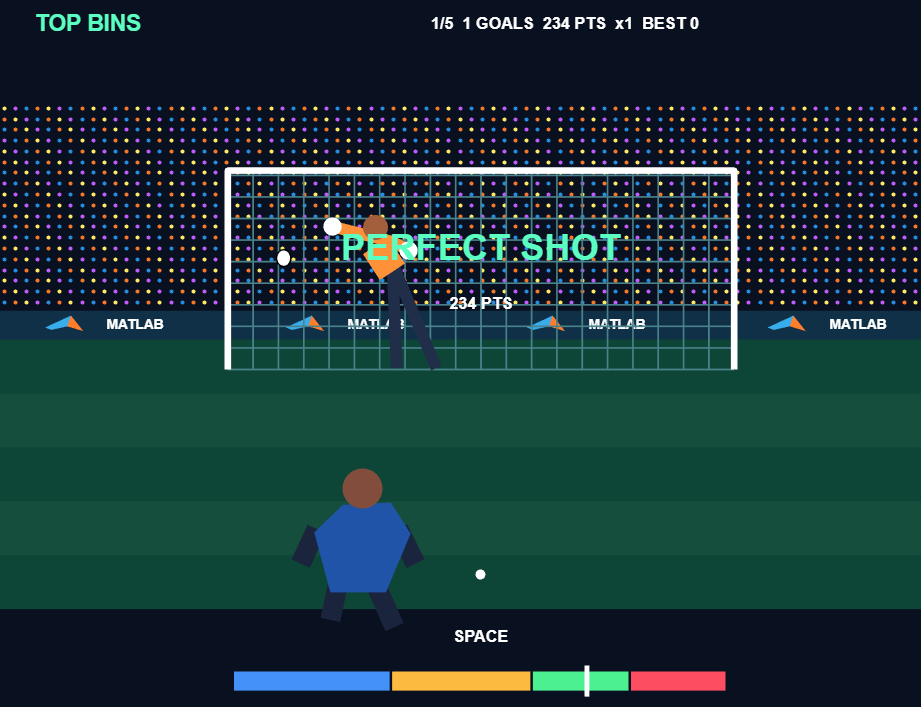
I made TOP BINS — PENALTY SHOOTOUT using MATLAB and Codex, and wanted to share a small trick I used for the one-button controls.
The idea is simple: the target keeps moving around the goal using sine and cosine. Pressing SPACE locks the aim, and then a power slider starts moving automatically. Press SPACE again to shoot at the selected power.
I used different game modes to make the same button do both things:
s.t = s.t + dt;
if s.mode == 1 && tap
s.mode = 2;
s.t = 0;
elseif s.mode == 1
s.aim = aimAt(s);
elseif s.mode == 2
s.p = 1 - abs(1 - mod(.79*s.t, 2));
if tap
s = launch(s);
end
end
The green power range also changes depending on where you're aiming, so each shot needs slightly different timing.
It's a simple way to get two different actions out of just one button. Thought it might be useful for anyone making a game for the Mini Hack. Also you can notice the cheeky billboard ad with MATLAB on it and the crowd :D
Here's my game, ENJOY!: https://www.mathworks.com/matlabcentral/communitycontests/contests/10/entries/16673
Tags


