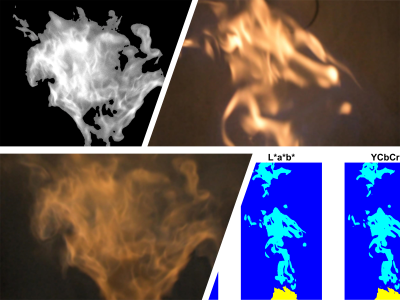
Flame Image Processing using MATLAB Tools (Demo)
This tutorial describes basic image processing steps focusing on transient hydrogen-assisted flames.

You are now following this Submission
- You will see updates in your followed content feed
- You may receive emails, depending on your communication preferences
Cite As
Réka Kardos (2026). Flame Image Processing using MATLAB Tools (Demo) (https://in.mathworks.com/matlabcentral/fileexchange/171939-flame-image-processing-using-matlab-tools-demo), MATLAB Central File Exchange. Retrieved .
General Information
- Version 1.2.0 (11.6 MB)
MATLAB Release Compatibility
- Compatible with any release
Platform Compatibility
- Windows
- macOS
- Linux
| Version | Published | Release Notes | Action |
|---|---|---|---|
| 1.2.0 | The images are available at: https://energia.bme.hu/~kardos/MATLAB%20Flame%20Image%20Processing%20Demo%20Material/
|
||
| 1.1.0 | Flame images are added. |
||
| 1.0.0 |

