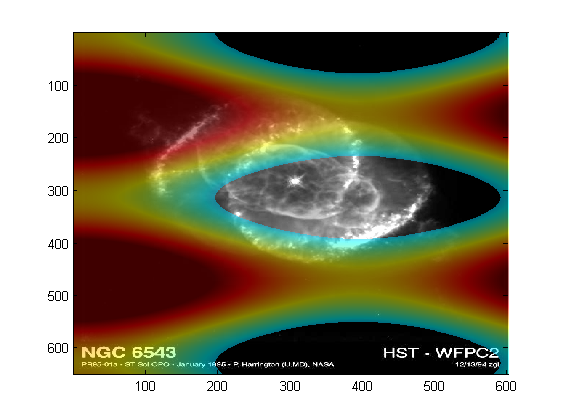
Overlay two datasets or indexed images

Overlay of two datasets: independent colormaps, datatip inspection and alterable after creation.

You are now following this Submission

If you want to show two 2D datasets as images above each other you might find this class useful.

You can define the range of values which should be shown. The overlay works with independent colormaps for both images. It can partly be hidden for values within a certain range. The datatip provides coordinates, the value of the pixel in the background and in the overlay dataset.

It's an object oriented approach, so the function call instantiates a Matlab class. The instance persists as long as you keep the reference and it is (interactively) modifiable via functions on the commandline / from m-files, so you can update one of the images, change the range, alpha-value ...
So it's supposed to be easy to use even though it's custimizable afterwards.

Try "help overlayImg" to get you started.

Cite As

Jochen Rau (2026). Overlay two datasets or indexed images (https://in.mathworks.com/matlabcentral/fileexchange/26790-overlay-two-datasets-or-indexed-images), MATLAB Central File Exchange. Retrieved .

Acknowledgements

Inspired: overlayVolume, imoverlay

General Information

MATLAB Release Compatibility

  • Compatible with any release

Platform Compatibility

  • Windows
  • macOS
  • Linux
Version Published Release Notes Action
1.4.0.0

bugfix in datatip code plus some new helper functions

1.3.0.0

+Bugfix (x and y switched)

1.2.0.0

Enhancements:
+ support for different resolution on background and overlay
+ set custom axes

1.0.0.0