
xlscell
Version 1.0.0.0 (2.75 KB) by
Fahad Al Mahmood
Assigns a value or Excel formula to a specified cell in excel sheet.
xlscell(xcell,value)
xlscell(xcell,value,filename)
xlscell(xcell,value,filename,sheetname)
xcell: cell name (range) (ex. C3 or A2:F19)
value: value(s) to assign to specified cell.
filename: Name of excel file.
sheetname: sheet name.
Examples:
filename = 'file.xls';
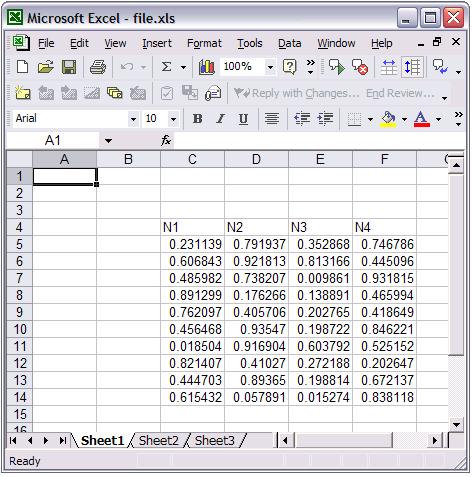
value = {'N1','N2','N3','N4'};
xlscell('C4',value);
xlscell('C4',value,filename);
xlscell('C5',rand(10,4),filename);
xlscell('C5',rand(10,4),filename,'Sheet1');
Cite As
Fahad Al Mahmood (2026). xlscell (https://in.mathworks.com/matlabcentral/fileexchange/4548-xlscell), MATLAB Central File Exchange. Retrieved .
MATLAB Release Compatibility
Created with
R13
Compatible with any release
Platform Compatibility
Windows macOS LinuxCategories
- MATLAB > Data Import and Analysis > Data Import and Export > Standard File Formats > Spreadsheets >
- MATLAB > External Language Interfaces > COM with MATLAB > Use COM Objects in MATLAB >
Find more on Spreadsheets in Help Center and MATLAB Answers
Tags
Discover Live Editor
Create scripts with code, output, and formatted text in a single executable document.
| Version | Published | Release Notes | |
|---|---|---|---|
| 1.0.0.0 | More debugging documentation added |
