Convolution 3D Layer
R2026bConvolution 3D Layer block

To add a block to a model, double-click the canvas and start typing the block name. Then, select the block from the list.
Libraries:
Deep Learning Toolbox /
Deep Learning Layers /
Convolution and Fully Connected Layers
Description
The Convolution 3D Layer block applies sliding cuboidal convolution filters
to 3-D input. The layer convolves the input by moving the filters along the input vertically
and horizontally as well as along the depth, computing the dot product of the weights and the
input, and then adding a bias term. This block accepts 3-D image data in the
SSSC format (four dimensions corresponding to three spatial dimensions
and one channel dimension, in that order) and convolves over the spatial dimensions.
The exportNetworkToSimulink function generates this block to represent a convolution3dLayer
object.
Examples
Export a trained neural network to Simulink® as layer blocks.
For most workflows, you do not need to create neural networks in Simulink. Instead, import or train a neural network in MATLAB® and export it to Simulink.
Suppose that you have a trained neural network net specified as
a dlnetwork object. Export the network to Simulink using the exportNetworkToSimulink function.
mdlInfo = exportNetworkToSimulink(net)
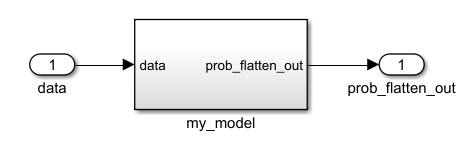
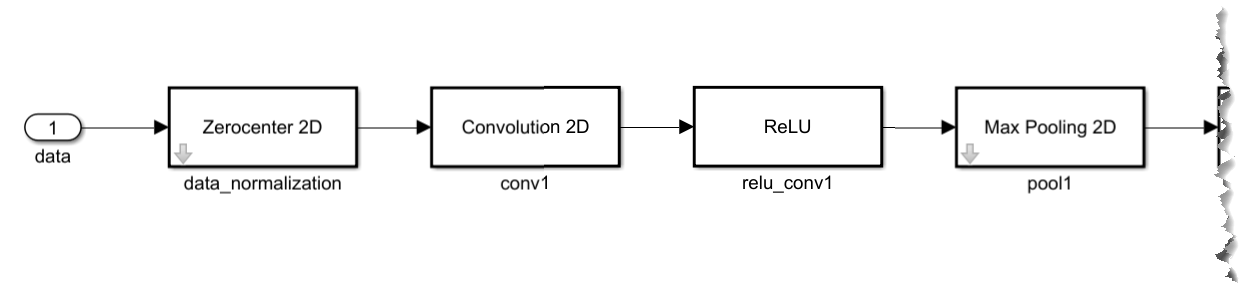
The exported Simulink model represents the neural network as a subsystem. To view the layer blocks, open the subsystem. This example shows the first few blocks of a neural network.
To view and edit the layer block parameters, open the corresponding layer block mask. This example shows the parameters for the ReLU block.
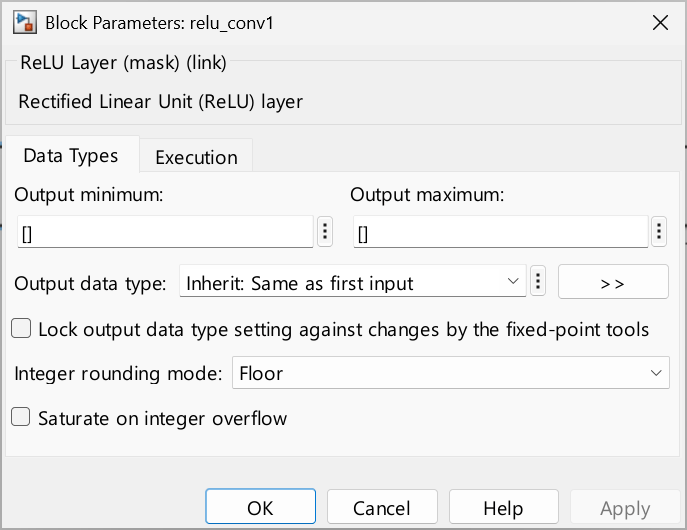
Using the layer block parameters, you can configure aspects like data types and execution options like sample times.
Limitations
The Layer parameter does not support
convolution3dLayerobjects that have thePaddingValueproperty set to"symmetric-exclude-edge".The Layer parameter does not support
convolution3dLayerobjects that have theDilationFactorproperty set to a value other than1.Before R2026a: The Layer parameter supports the
manualpadding mode for only some padding sizes.
Ports
Input
Output
Parameters
Programmatic Use: Add Block
To add the block programmatically, use the add_block function with one of these library block paths as the source.
"dlconvfclib/Convolution 3D Layer"
Example: add_block("dlconvfclib/Convolution 3D Layer","myModel/myBlock",MakeNameUnique="on")
For information about programmatic access to individual block parameters, see the Programmatic Use section of parameter descriptions on this page.
Tips
To improve performance of generated code for a Convolution 3D Layer block, select the Automatically schedule for-loops (Embedded Coder) model configuration parameter.

