camheight
R2026bSet or query height of camera for geographic globe
Syntax
Description
Set Height and Mode
camheight( sets the camera height
to automatic mode, enabling the geographic globe to determine the height of the camera
based on the plotted data. The mode defaults to automatic when you create a geographic
globe. If you change the camera height using your mouse, then the mode switches to
automatic.g,"auto")
camheight( sets the camera height
to manual mode. When the hold state of the geographic globe is g,"manual")"on",
manual mode specifies that the geographic globe preserve the height of the camera when the
plotted data changes. If you change the camera height using the
camheight function, then the mode switches to manual.
Examples
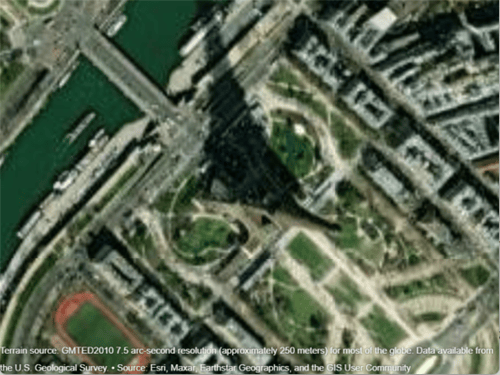
Create a geographic globe. Specify the latitude and longitude of the Eiffel Tower, and specify a height that is 700 meters above the WGS84 reference ellipsoid. Then, move the camera using the campos function.
uif = uifigure;
g = geoglobe(uif);

lat = 48.8584;
lon = 2.2945;
h = 700;
campos(g,lat,lon,h)
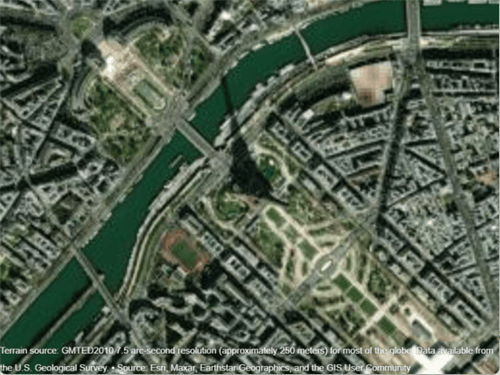
Change only the height of the camera by using the camheight function. Increase the camera height to 1500 meters above the WGS84 reference ellipsoid.
camheight(g,1500)
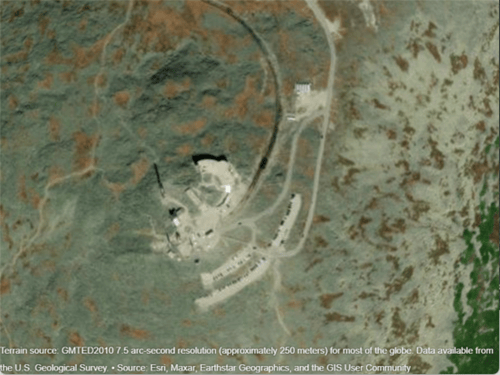
Create a geographic globe. Position the camera above Mount Washington by specifying a latitude, longitude, and ellipsoidal height.
uif = uifigure;
g = geoglobe(uif);

height0 = 2500;
campos(g,44.2706,-71.3025,height0)
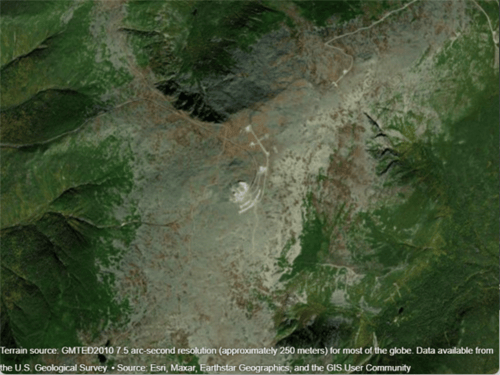
Animate the view by incrementally changing the camera height. As the camera height increases, the view zooms out.
for height = 2500:50:5000
    camheight(g,height)
    drawnow
end
Get the height of the camera. Use this information to control the view of a different geographic globe or to automate navigation.
Create a geographic globe. Zoom in on an area around Spain using your mouse or gestures.
uif = uifigure;
g = geoglobe(uif);

Query the height of the camera and assign it to a variable.
outHeight = camheight(g)
outHeight =

   1.7702e+06
Use this value to control the camera height for a different geographic globe. For example, create a new geographic globe and programmatically set the camera height.
uif2 = uifigure;
g2 = geoglobe(uif2);
camheight(g2,outHeight)
In many cases, the camera view of the geographic globe changes when you plot new data. You can preserve the camera view by setting the camera modes to "manual" and the hold state to "on".
Read the buildings layer from an OpenStreetMap file [1] containing data for several city blocks in Shibuya, Tokyo, Japan. Display the buildings in a geographic globe with a road map and no terrain data.
GT = readgeotable("shibuya.osm",Layer="buildings");
addCustomBuildings("shibuya",GT)

uif = uifigure;
g = geoglobe(uif,Buildings="shibuya",Basemap="streets-light",Terrain="none");
Adjust the camera view by interacting with the globe.

Read track points from a GPX file into a geospatial table. Extract the latitude and longitude coordinates from the geospatial table, and specify a height value for each coordinate.
track = readgeotable("shibuya_track.gpx",Layer="track_points");
lat = track.Shape.Latitude;
lon = track.Shape.Longitude;
height = linspace(10,100,length(lat));
Set the camera modes to "manual" and the hold state to "on". Then, plot the data. Note that the camera position does not change.
campos(g,"manual")
camheight(g,"manual")
camheading(g,"manual")
campitch(g,"manual")
camroll(g,"manual")
hold(g,"on")

geoplot3(g,lat,lon,height,"-o",LineWidth=3)

[1] You can download OpenStreetMap files from https://www.openstreetmap.org, which provides access to crowd-sourced map data all over the world. The data is licensed under the Open Data Commons Open Database License (ODbL), https://opendatacommons.org/licenses/odbl/.
The strategies you use to programmatically zoom in and out of GeographicGlobe and GeographicAxes objects are different. For GeographicGlobe objects, you specify a camera height using the camheight function. For GeographicAxes objects, you specify a zoom level using the ZoomLevel property or specify latitude and longitude limits using the geolimits function. To create GeographicGlobe and GeographicAxes objects with similar map scales, approximate camera height and zoom level using the heightToZoomLevel and zoomLevelToHeight local functions (defined here).
You can verify the behavior of the zoomLevelToHeight local function by displaying GeographicAxes and GeographicGlobe objects using comparable magnification levels.
Specify the latitude and longitude of the Sydney Opera House. Create geographic axes with a basemap, map center, and zoom level that allows you to clearly see the building.
lat = -33.8572;
lon = 151.2150;
z = 17;
gx = geoaxes(Basemap="satellite",MapCenter=[lat lon],ZoomLevel=z);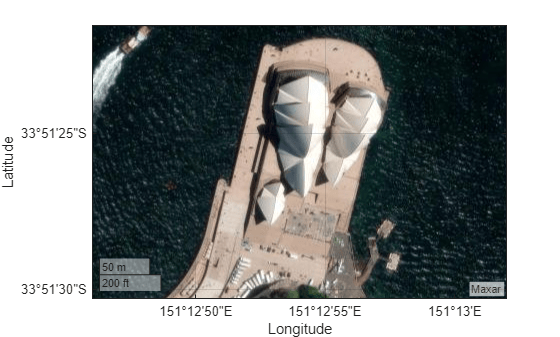
Create a geographic globe. Position the camera above the Sydney Opera House using the campos function.
uif = uifigure;
g = geoglobe(uif);
campos(g,lat,lon)
Calculate an approximate camera height from the zoom level using the zoomLevelToHeight local function. Then, set the camera height using the camheight function. Note that the geographic axes and geographic globe displays are comparable.
h = zoomLevelToHeight(z,lat);
camheight(g,h)
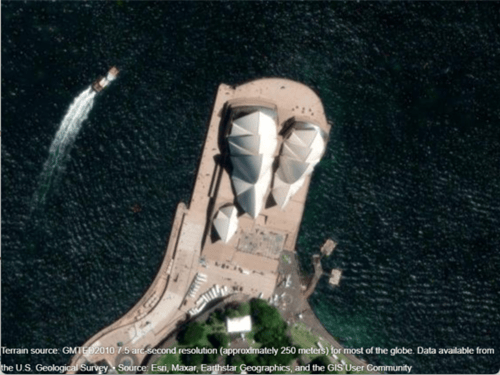
To verify the behavior of the heightToZoomLevel function, calculate an approximate zoom level from the camera height.
z2 = heightToZoomLevel(h,lat)
z2 =
17
Note that z and z2 are equal.
This code defines a local function called zoomLevelToHeight that approximates the camera height h for a GeographicGlobe object using the zoom level z and map center latitude lat of a GeographicAxes object.
function h = zoomLevelToHeight(z,lat)
    earthCircumference = 2*pi*6378137;
    h = (earthCircumference*cosd(lat)) / 2^(z-1);
end
This code defines a local function called heightToZoomLevel that approximates the zoom level z for a GeographicAxes object using the camera height h and latitude lat of a GeographicGlobe object.
function z = heightToZoomLevel(h,lat)
    earthCircumference = 2*pi*6378137;
    z = log2((earthCircumference*cosd(lat)) / h) + 1;
    z = max(0,z);
    z = min(19,z);
end
Input Arguments
Version History
Introduced in R2020b
1 Alignment of boundaries and region labels are a presentation of the feature provided by the data vendors and do not imply endorsement by MathWorks®.

