Read Detections
R2026bRead Detections block
To add a block to a model, double-click the canvas and start typing the block name. Then, select the block from the list.
Libraries:
Radar Toolbox Support Package for Texas Instruments mmWave Radar
Sensors
Description
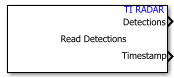
The Read Detections block acquires radar detections from Texas Instruments® mmWave radar sensors. Use this block to output the number of detections and the detection data as a Simulink bus along with timestamp of the data read. You can specify the Configuration (,cfg) file and other parameters in the block to set the sensor parameters and output characteristics.
You can pass the object detections from this block to a tracker, such as the Global Nearest Neighbor Multi Object Tracker (Sensor Fusion and Tracking Toolbox) block in the Sensor Fusion and Tracking Toolbox™ to implement object tracking algorithms.
Ports
Output
Object detections, returned as a Simulink bus containing a MATLAB structure. For more details about buses, see Create Nonvirtual Buses (Simulink).
You can pass object detections from these sensors and other sensors to a tracker, such as the Global Nearest Neighbor Multi Object Tracker (Sensor Fusion and Tracking Toolbox) block in the Sensor Fusion and Tracking Toolbox™.
The structure contains these fields.
| Field | Description | Type |
|---|---|---|
NumDetections
| Number of valid detections | Nonnegative integer |
IsValidTime
| Always True | Boolean |
Detections
| Object detections | Array of object detection structures of length set by the
Maximum number of detections parameter.
Only NumDetections of these are actual
detections. |
Each object detection structure contains these properties.
| Property | Definition |
|---|---|
Time | Measurement time |
Measurement | Object measurements |
MeasurementNoise | Measurement noise covariance matrix |
SensorIndex | Unique ID of the sensor. This property is
always set to |
ObjectClassID | Object classification. This property is
always set to |
ObjectAttributes | SNR and Noise; Value is set as always 0. |
MeasurementParameters | Parameters used by initialization functions of nonlinear Kalman tracking filters |
For rectangular coordinates,
MeasurementandMeasurementNoiseare reported in the rectangular coordinate system specified by the Coordinate system of detections parameter.For spherical coordinates,
MeasurementandMeasurementNoiseare reported in the spherical coordinate system, which is based on the sensor rectangular coordinate system.
Measurement and
MeasurementNoise
| Coordinate System of Detections | Measurement and
MeasurementNoise Coordinates | ||||||
|---|---|---|---|---|---|---|---|
Body |
The measurements are adjusted as per the Mounting Angles and Mounting Location parameters that you specify. | ||||||
Sensor rectangular |
The measurements are independent of Mounting Angles and Mounting Location parameters. | ||||||
Sensor spherical | This table shows how coordinates are affected by the
|
For MeasurementParameters, the measurements are
relative to the parent frame. When you set the Coordinate system of
detections parameter to Body, the parent frame
is the platform body. When you set Coordinate system of
detections to Sensor rectangular or
Sensor spherical, the parent frame is the sensor.
MeasurementParameters
| Parameter | Definition |
|---|---|
Frame | Enumerated type indicating the frame used to report
measurements. When Frame is set to
'rectangular', detections are reported in
Cartesian coordinates. When Frame is set to
'spherical', detections are reported in
spherical coordinates. |
OriginPosition | 3-D vector offset of the sensor origin from the parent frame origin. |
Orientation | Orientation of the radar sensor coordinate system with respect to the parent frame. |
HasVelocity | Indicates whether measurements contain velocity or range
rate components. This value is always set to
true. |
HasElevation | Indicates whether measurements contain elevation components.
This value is false if the
ElevationResolution property (which is
derived from the Configuration (.cfg) file) is
NaN. |
Time in seconds from the time TI mmWave radar board starts sending data.
Data Types: single
Parameters
Parameters
All the parameters under this are non-tunable.
Select the configuration (.cfg) file that contains a series of commands that define the settings for the TI mmWave radar sensor, such as chirp profile, sampling rate, and output options. These commands are sent to the radar board over the serial port to configure the board. Click Browse to navigate to the folder containing the file and select the file.
For a list of TI mmWave radar sensor EVMs that are supported for building model using the Read Detections block, see Supported Boards.
For more information, refer to Configure Radar Using a Configuration (.cfg) File for Reading Detections.
Select the checkbox to view the two parameters that you can use to specify mounting location and mounting angles of the TI mmWave sensor.
If this parameter is set to on, you can choose to output
the data in Body coordinate system by selecting this option
for the Coordinate system of detections parameter.
Mounting location of the radar on the platform, in meters, specified as a 1-by-3 real-valued vector of the form [x y z]. This property defines the coordinates of the sensor along the x-axis, y-axis, and z-axis relative to the platform body frame.
Mounting rotation angles of the radar, in degrees, specified as a 1-by-3 real-valued vector of the form [z yaw y pitch x roll]. This property defines the intrinsic Euler angle rotation of the sensor around the z-axis, y-axis, and x-axis with respect to the platform body frame, where:
z yaw, or yaw angle, rotates the sensor around the z-axis of the platform body frame.
y pitch, or pitch angle, rotates the sensor around the y-axis of the platform body frame. This rotation is relative to the sensor position that results from the z yaw rotation.
x roll, or roll angle, rotates the sensor about the x-axis of the platform body frame. This rotation is relative to the sensor position that results from the z yaw and y pitch rotations.
These angles are clockwise-positive when looking in the forward direction of the z-axis, y-axis, and x-axis, respectively.
Data Types: double
Coordinate system used to report detections, specified as one of these options:
'Sensor spherical'— Detections are reported in a spherical coordinate system derived from the sensor rectangular body coordinate system. This coordinate system is centered at the sensor and aligned with the orientation of the radar on the platform.'Sensor rectangular'— Detections are reported in the sensor rectangular body coordinate system.'Body'— Detections are reported in the rectangular body system of the sensor platform. To see this option, select the parameter Specify radar mounting location and angles.
Maximum number of detections or tracks that the sensor reports, specified as a positive integer. This value also determines the length of the array of object detection structures available as the output of the block.
Select name identifier for output bus showing object detection report.
Selecting the Property option results in a new parameter,
Specify name for detection report output bus.
Specify the name of output bus showing the object detection report.
Dependencies
This parameter appears only if you select Property for
the Source of name for detection report output bus
parameter.
Configurations
This parameter is read-only.
Update rate, specified as a positive real scalar, and derived from the configuration (.cfg) file (use Specify the configuration file parameter; click Apply after selecting the file to view the value). The radar generates new reports at intervals defined by the reciprocal of the update rate. The block sample time is automatically set to this same reciprocal value. Units are in Hz.
This parameter is read-only.
Range resolution of the radar in meters, specified as a positive real scalar, derived from the configuration file (use Specify the configuration file parameter; click Apply after selecting the file to view the value). The range resolution defines the minimum separation in range at which the radar can distinguish between two targets. Units are in meters.
This parameter is read-only.
Range rate resolution of the radar, specified as a positive real scalar, derived from the configuration file (use Specify the configuration file parameter; click Apply after selecting the file to view the value). The range rate resolution defines the minimum separation in range rate at which the radar can distinguish between two targets. Units are in meters per second.
This parameter is read-only.
Azimuth resolution of the radar, specified as a positive scalar, derived from the configuration file (use Specify the configuration file parameter; click Apply after selecting the file to view the value). The azimuth resolution defines the minimum separation in azimuth angle at which the radar can distinguish between two targets. The azimuth resolution is typically the 3 dB downpoint of the azimuth angle beamwidth of the radar. Units are in degrees.
This parameter is read-only.
Elevation resolution of the radar, specified as a positive scalar, derived from the configuration file (use Specify the configuration file parameter; click Apply after selecting the file to view the value). The elevation resolution defines the minimum separation in elevation angle at which the radar can distinguish between two targets. The elevation resolution is typically the 3 dB downpoint of the elevation angle beamwidth of the radar. Units are in degrees.
This parameter is read-only.
Maximum range of the radar, specified as a positive scalar, derived from the
configuration file (use Specify the configuration file
parameter; click Apply after selecting the file to view
the value). The radar does not detect targets that are outside this range. The
maximum range, max, must be greater than the minimum range,
min. Units are in meters.
This parameter is read-only.
Maximum range rate of object detection, specified as a positive scalar,
derived from the configuration file (use Specify the configuration
file parameter; click Apply after selecting
the file to view the value). The radar does not detect targets that are outside
this range rate. The maximum range, max, must be greater
than the minimum range, min. Units are in meters.
This parameter is read-only.
Center frequency of the radar band in GHz, specified as a positive scalar, derived from the configuration file (use Specify the configuration file parameter; click Apply after selecting the file to view the value).
This parameter is read-only.
Radar waveform bandwidth in GHz, specified as a positive scalar, derived from the configuration file (use Specify the configuration file parameter; click Apply after selecting the file to view the value).
Detection Reporting
Note
The value specified for the parameters under Detections Reporting overrides the value specified in the Configuration (.cfg) file.
Note
All the parameters under this section are tunable; you can tune the parameters and monitor the changes in signals when the model is running on the target in real time, using Monitor and Tune simulation.
Minimum and maximum range of the radar, specified as a 1-by-2 nonnegative
real-valued vector of the form [min max]. The radar does not
report targets that are outside the specified limits. The maximum range,
max, must be greater than the minimum range,
min. Units are in meters.
Minimum and maximum range rate of radar as a 1-by-2 real-valued vector of
the form [min max]. The radar does not report targets that
are outside the specified limits. The maximum range rate,
max, must be greater than the minimum range rate,
min. Units are in meters per second.
The minimum and maximum azimuth angle (in degrees) that specifies field of view in azimuth plane. Beyond this field of view, detected points will not be reported by radar.
The minimum and maximum elevation angle (in degrees) that specifies field of view in elevation plane. Beyond this field of view, detected points will not be reported by radar.
Detection threshold specified in dB scale in the Range Direction.
Detection threshold specified in dB scale in the Range Rate Direction.
Enable (select) the parameter to reduce the number of detections from the same object in the range direction. Otherwise, by default, more detections from the same object are read.
Enable (select) the parameter to reduce the number of detections from the same object in the Doppler direction. Otherwise, by default, more detections from the same object are read.
Enable (select) the parameter to eliminate static clutter from the scene for reporting detections. Use this option only when trying to detect moving objects in the scene and static objects need to be masked out.
Version History
Introduced in R2026a
MATLAB Command
You clicked a link that corresponds to this MATLAB command:
Run the command by entering it in the MATLAB Command Window. Web browsers do not support MATLAB commands.


Select a Web Site
Choose a web site to get translated content where available and see local events and offers. Based on your location, we recommend that you select: .
You can also select a web site from the following list
How to Get Best Site Performance
Select the China site (in Chinese or English) for best site performance. Other MathWorks country sites are not optimized for visits from your location.
Americas
- América Latina (Español)
- Canada (English)
- United States (English)
Europe
- Belgium (English)
- Denmark (English)
- Deutschland (Deutsch)
- España (Español)
- Finland (English)
- France (Français)
- Ireland (English)
- Italia (Italiano)
- Luxembourg (English)
- Netherlands (English)
- Norway (English)
- Österreich (Deutsch)
- Portugal (English)
- Sweden (English)
- Switzerland
- United Kingdom (English)