Simulink.SimulationData.ModelLoggingInfo.createFromModel
R2026bCreate Simulink.SimulationData.ModelLoggingInfo object for top
model with override settings for each logged signal in model
Syntax
Description
mdlInfo = Simulink.SimulationData.ModelLoggingInfo.createFromModel(
creates a model logging override object for the model mdl)mdl that includes
logged signals for these kinds of systems:
Libraries
Masked subsystems
Referenced models
Active variants
mdlInfo =
Simulink.SimulationData.ModelLoggingInfo.createFromModel(
specifies options using one or more name-value arguments in addition to the input arguments
in the previous syntax. mdl,Name=Value)
Examples
You can create a model logging override object for a model and automatically add each logged signal in the model to that object.
Open the IterativeCounter project. The project opens the CounterSystem model at startup. The CounterSystem model has four signals marked for logging.
openProject("IterativeCounter");
mdl = "CounterSystem";
mdlInfo = Simulink.SimulationData.ModelLoggingInfo.createFromModel(mdl)
mdlInfo =
  ModelLoggingInfo with properties:

                     Model: 'CounterSystem'
               LoggingMode: 'OverrideSignals'
    LogAsSpecifiedByModels: {}
                   Signals: [1×4 Simulink.SimulationData.SignalLoggingInfo]
            isLoadingModel: 0
             isSavingModel: 0
The LoggingMode property is set to "OverrideSignals", which configures the model logging override object to log only the signals specified in the Signals property.
Apply the model override object settings. The software saves the settings when you save the model.
set_param(mdl,DataLoggingOverride=mdlInfo);
To specify how a model logging override object handles components like variants or model references, use name-value argument options in the Simulink.SimulationData.ModelLoggingInfo.createFromModel function. For example, to create a model logging override object that includes logged signals in all variants of the sldemo_variant_subsystems model, use the Variants name-value argument.
Open the sldemo_variant_subsystem model. By default, the model does not log any signals.
mdl = "sldemo_variant_subsystems";
open_system(mdl)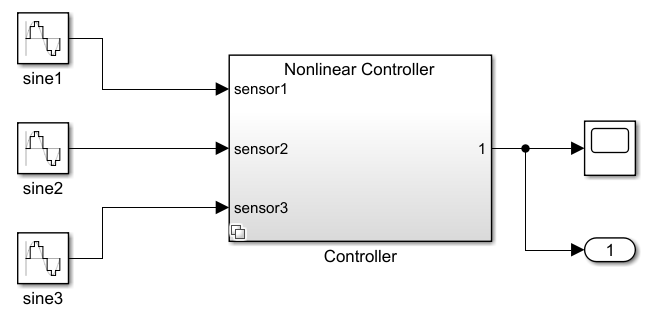
Configure the output signals from the Linear Controller and Nonlinear Controller subsystems to log data.
phLin = get_param(mdl+"/Controller/Linear Controller","PortHandles");
set_param(phLin.Outport(1),DataLogging="on");
phNonlin = get_param(mdl+"/Controller/Nonlinear Controller","PortHandles");
set_param(phNonlin.Outport(1),DataLogging="on");
To create a model logging override object that includes the signals logged in all variant subsystems of the model, use Simulink.SimulationData.ModelLoggingInfo.createFromModel with the Variants name-value argument specified as "allVariants".
mdlInfo = Simulink.SimulationData.ModelLoggingInfo.createFromModel(...
    mdl,Variants="AllVariants")
mdlInfo =
  ModelLoggingInfo with properties:

                     Model: 'sldemo_variant_subsystems'
               LoggingMode: 'OverrideSignals'
    LogAsSpecifiedByModels: {}
                   Signals: [1×2 Simulink.SimulationData.SignalLoggingInfo]
            isLoadingModel: 0
             isSavingModel: 0
Input Arguments
Name-Value Arguments
Version History
Introduced in R2012b

