
Use the Vanishing Leprechaun trick to make the additional coin appear or disappear?

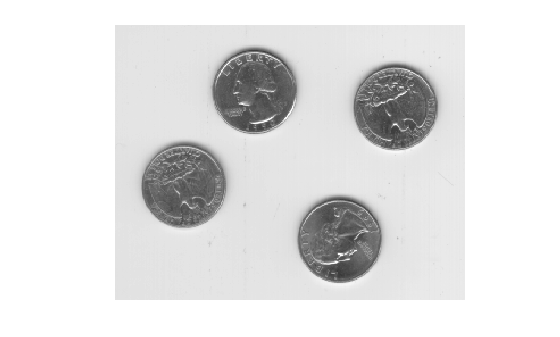
_ I am trying to add an additional coin in the image._ I have found the regionfill Region of interest function and I was thinking that it may be the opposite of this, where instead of masking a coin, I am adding one. If you can help, I would greatly appreciate it.
I = imread('eight.tif');
imshow(I);
mask=roipoly(I);
figure,imshow(mask)
J = regionfill(I,mask);
figure, imshow(J)

No, no -- there is mathematics behind the Vanishing Leprechaun illusion, and in at least some cases you could arrange such that the additional coin was there if you move pieces of your image one way, but gone if you move pieces of your image another way.
But as to the practicality with your image... well, we haven't seen your image. Your image is in hiding, like Leprechauns.
Create a mask where the coins are. Use those as the targets for https://www.mathworks.com/help/images/ref/bwdistgeodesic.html. The result, for each point, will be the distance to the edge of the nearest coin. Look for points where that distance exceeds the radius of the coins. The places that meet the criteria are places where it would be possible to copy in a coin without it touching any of the existing coins.
Find the treasures in MATLAB Central and discover how the community can help you!
Start Hunting!
You can also select a web site from the following list
Americas
Europe
Asia Pacific