Results for

Recently, I encountered an issue where solve returned no solution for a system of equations, even though the system obviously has solutions. This can be easy to overlook.
For example:
syms a b c x
equs = [a*x^2+b*x+c==0;
a==1];
St = solve(equs,x)
St is returned as an empty set, suggesting that there is no solution???
However, since a is constrained by the equation a == 1, the correct way is:
S = solve(equs,[x,a])
disp(S.x)
disp(S.a)
Here, a must also be included in the list of variables to solve for. Only then will solve treat a as an unknown, apply the constraint a == 1, and substitute it into the equation during the solving process.
symvar(equs)
Based on the output of the symvar function, a is already identified as one of the symbolic variables (unknowns) in the system of equations. However, the actual behavior of solve appears to contradict this expectation. In practice, a must still be explicitly included in the variable list passed to solve; otherwise, it is treated as a symbolic parameter rather than a variable to be solved for.
Takeaway: When using solve for a system of equations, any symbol that appears in the equations and is constrained by additional equations (such as a == 1) should generally be included in the variable list. Otherwise, solve may treat it as a symbolic parameter rather than an unknown, which can lead to an empty solution set or unexpected results.
Am I missing something here? I'd love to hear your thoughts.

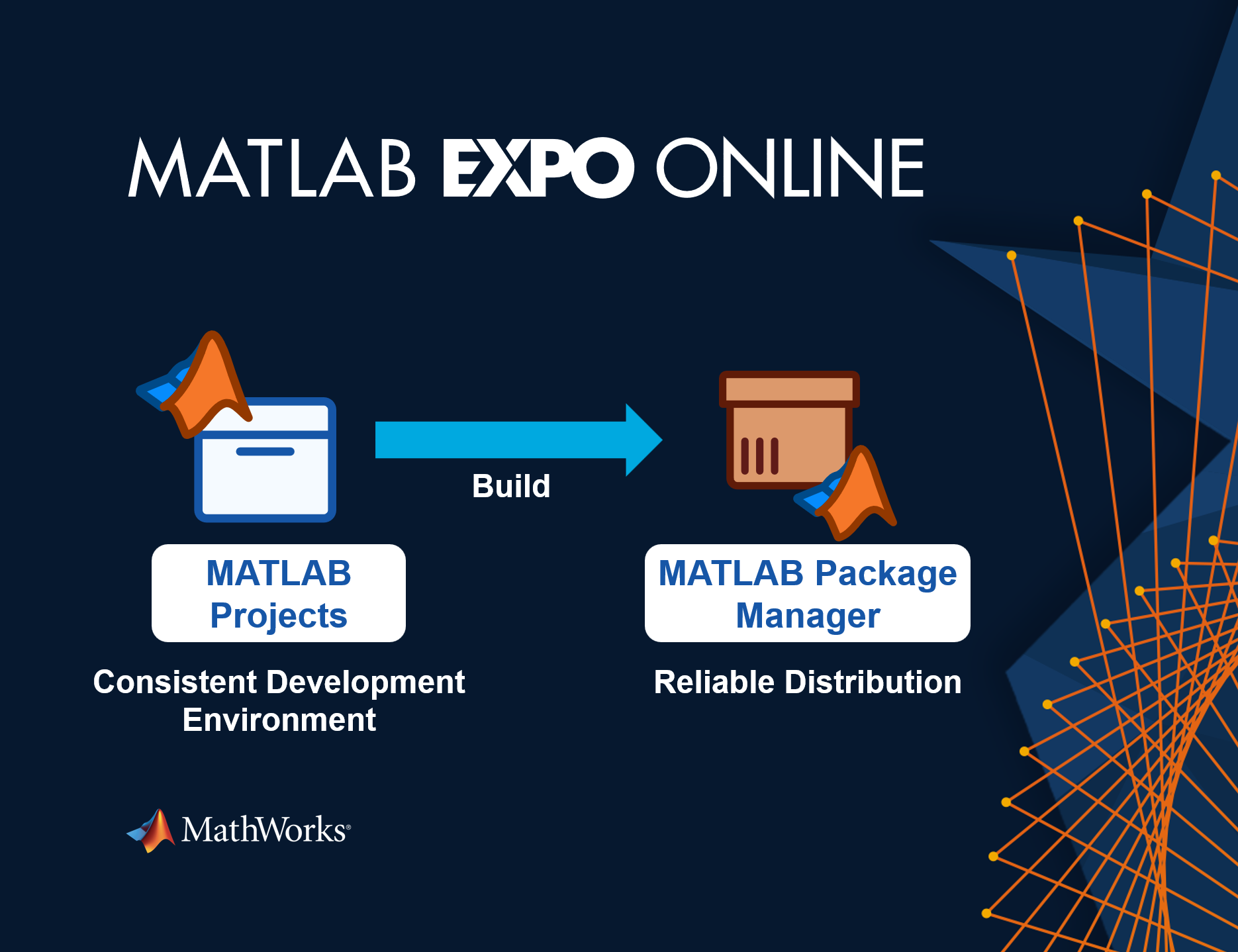
Hi everyone! I am one of the MATLAB Product Managers supporting MATLAB Projects and MATLAB Package Manager. R2026b was a major update for both of these tools, and we are excited to show how you can build software in MATLAB and Simulink using modern software development tools. There is a track session and a workshop that you can attend. Come learn about the simpler matlab.toml file and how your code can finally depend on packages. You can see a preview here:

I have learned that I am never, ever going to use Copilot in Simulink again, and probably never use Copilot in any Microsoft application again either. Two times I asked Copilot for some simple help on how to configure a subsystem block and BOTH TIMES it gave me incorrect information that did not work. After 10 minutes of trying to get accurate information out of Mathworks' own native AI (definitely light on the "I" part), I gave up and when to ChatGPT which immediately gave me the correct answer.
Do better Mathworks. Your bloatware is bad enough, and your rejection of systems engineering standards for your own is also pretty terrible. But your selection of an AI "assistant" is a complete failure.

MATLAB EXPO Online 2026 is almost here! With 40+ sessions across five technical tracks plus nine live, hands-on workshops, now is a great time to explore the agenda and decide what you don’t want to miss.
Whether you’re interested in AI and Agentic AI, Model-Based Design, electrification, robotics and autonomous systems, or Cloud and DevOps, there’s plenty to choose from.
💬 What session or workshop is already on your must-see list? Share it in the comments so others can discover it too!

As a long-standing request from users, we are happy to announce that HDFql now supports MATLAB for managing HDF5 and MAT files.
In short, HDFql (Hierarchical Data Formal query language) is the first high-level, declarative language for managing HDF5 or MAT data. Designed to be as simple and powerful as SQL, it dramatically reduces the learning effort and time required to work with HDF5. With its intuitive syntax, HDFql provides a clean interface for reading and writing HDF5 data across programming languages (C, C++, Java, Python, C#, Fortran, R, and now MATLAB) and platforms (Windows, Linux, and macOS). In addition, HDFql is based on a flexible parallel architecture that transparently leverages available cores and, in MPI clusters, nodes to efficiently process large volumes of data.
Key benefits of HDFql include enabling users to replace dozens of lines of complex HDF5 code with just a few lines of simple code, helping AI models generate better code using far fewer tokens, and making AI-generated code easier for humans to review.
Happy coding, prompting, or reviewing with HDFql in MATLAB!

We use Timecontrol for statistic automations. Yesterday at 2026-10-220 10:00pm CET Time control stopped working. There is new new time in the "Run At" field, although the script should run every 5 minutes. We had the same problem in September, see https://de.mathworks.com/matlabcentral/answers/2184870-thingspeak-timecontrol-stopped-working-at-all?s_tid=srchtitle
Has anybody also prolems with Timecontrol?

The new installer streamlines the process of installing and setting up agentic workflow with MATLAB. If you have been intimidated by the setup process, give this a try!
https://github.com/matlab/agentic-toolkit-installer

I am frequently facing issue with the onramp training of not proceeding to the next task or section, even after successfully completion of the current task or complete section.
Agentic AI is changing how engineers work. Join Jason Ghidella to see how AI agents can help accelerate coding, modeling, requirements generation, testing, and validation with MATLAB and Simulink, while maintaining the rigor needed to trust the results.
See real-world demonstrations spanning app building, system modeling, simulation, test generation, and system validation, and discover what the future of AI-powered engineering looks like.

For the past several days I have been experiencing a problem with data visualization on two of my ThingSpeak channels.
The data appears to be uploaded and stored correctly, and new entries are still being added to the channels. However, the visualizations are not working correctly.
The standard Field Charts show only a very small number of data points instead of the normal continuous measurements. Most of the points are compressed on the left side of the chart, while one or a few points appear far to the right and are connected by long straight lines. The time axis is also incorrect and sometimes shows repeated dates such as “01 Jan”.
The numeric widgets are affected as well and display incorrect values. Some custom visualizations also remain blank or fail to load.
The problem appeared suddenly and affects two separate channels which had previously been working correctly. I did not make any significant changes to the channels before the problem started.
This seems somewhat similar to the ThingSpeak chart/timeline issue reported in June 2026, when charts were displaying incorrect time ranges and the DAYS/RESULTS settings were not working correctly. However, my current problem also affects numeric widgets and custom visualizations, and the charts show incorrect dates and strangely positioned data points.
Could this be a regression or a similar issue with the ThingSpeak visualization system?
Has anyone else experienced the same problem recently?

The Ran In tag still shows R2026a on Answers and Discussions (as does the Executing In popup), even though both are actually running R2026b.
This seems to be always be an issue whenver the site updates to the latest release. Seems like it should be pretty straightforward to update those message at the same time the underlying release is updated. Or am I underestimating the complexity of that task?
matlabRelease

Hello everyone. I am noob at coding and want to learn advance level of matlab and i want a book for me to help me learn from scratch and make sure its well thing and i am mostly interested in mechatronics like how a system acts and behaves so please give me some reccomandation also i am frustated.
What if MATLAB could show you not only the final output, but also how your code reaches that result?
Imagine an interactive tool that visualizes variable changes, function calls, matrix transformations, and execution flow as a program runs. Engineers could watch algorithms evolve, identify unexpected behavior, and understand complex simulations through live visualizations.
The idea is to build a Live MATLAB Execution Explorer that combines code tracing, variable timelines, and 3D engineering simulations in one interface.
From debugging control systems to teaching numerical methods, this could transform how students, researchers, and engineers interact with code.
The challenge? Capturing execution data efficiently without significantly affecting performance.
The vision: Turn programming from something we read into something we can see, explore, and understand.
#MATLAB #Simulink #EngineeringInnovation #Simulation #DeveloperTools

I recently had an idea for a side project: building an app/extension that can interactively follow simulations and visualise the live flow of code execution.
For this, I would need access to variables, datasets, and the function call stack during execution, ideally without interfering with the actual code execution.
However, I found that MATLAB's current architecture makes this difficult, as the entire application runs in a single thread and there are no publicly exposed APIs to access runtime variables without interrupting execution.
Can anyone suggest a possible workaround or an alternative approach to achieve this?

To celebrate 25 years of MATLAB Central community, we're launching two community contests designed to inspire learning, creativity, and knowledge sharing.
🚀 Now Open: STEM Showcase Contest
Have a great math, science, or engineering concept to share? Create an interactive MATLAB experience that helps others learn, explore, and discover STEM concepts.
Learn more and enter: STEM Showcase Contest
Prizes:
- STEM domain awards: Amazon Gift Card
- Weekly prizes: MathWorks T-shirts or socks
- Exclusive virtual badge
🎮 Coming in November: MATLAB One-Button Game Mini Hack
Can you build a fun game using only one button? Start brainstorming now and get ready for a unique MATLAB Game Mini Hack challenge.
For 25 years, MATLAB Central has been powered by a community that loves learning, building, and sharing knowledge. Whether you're an educator, researcher, engineer, student, or hobbyist, we'd love to see what you create.
I recently had an idea for a side project: building an app/extension that can interactively follow simulations and visualise the live flow of code execution.
For this, I would need access to variables, datasets, and the function call stack during execution, ideally without interfering with the actual code execution.
However, I found that MATLAB's current architecture makes this difficult, as the entire application runs in a single thread and there are no publicly exposed APIs to access runtime variables without interrupting execution.
Can anyone suggest a possible workaround or an alternative approach to achieve this?
Ready to explore the latest advancements in engineering and science with MATLAB and Simulink?
MATLAB EXPO Online 2026 is taking place November 4-5, 2026, and registration is now open. Join engineers, researchers, educators, and industry leaders from around the world for two days of technical presentations, hands-on workshops, customer success stories, and live Q&A sessions.
What to Expect
✅ 40+ interactive sessions featuring MathWorks experts and industry leaders
✅ 5 technical tracks, including AI and Agentic AI, Digital Engineering and Model-Based Design, Electrification and Energy Systems, Robotics and Autonomous Systems, and Cloud, CI/CD and DevOps
✅ 9 live, 90-minute hands-on workshops using MATLAB Online and Simulink Online
✅ Keynotes on emerging engineering trends and the latest MATLAB and Simulink capabilities
✅ Opportunities to connect with experts and peers from around the globe through live Q&A and networking activities
Whether you're just getting started or are an experienced MATLAB and Simulink user, you'll find content tailored to a range of experience levels and application areas.
Participation is free, but registration is required. Reserve your spot and start building your personalized agenda today.
What session or topic are you most excited to explore this year? Let us know in the comments!

Hello everyone
After you read the blog post about all the new goodness in MATLAB 2026b I am sure you'll rush out to install it. If you do one more thing, however, I suggest that you install this add-on from MATLAB File-Exchange since it will make object-oriented code much faster.
"How much faster?" I hear you ask. This much faster:
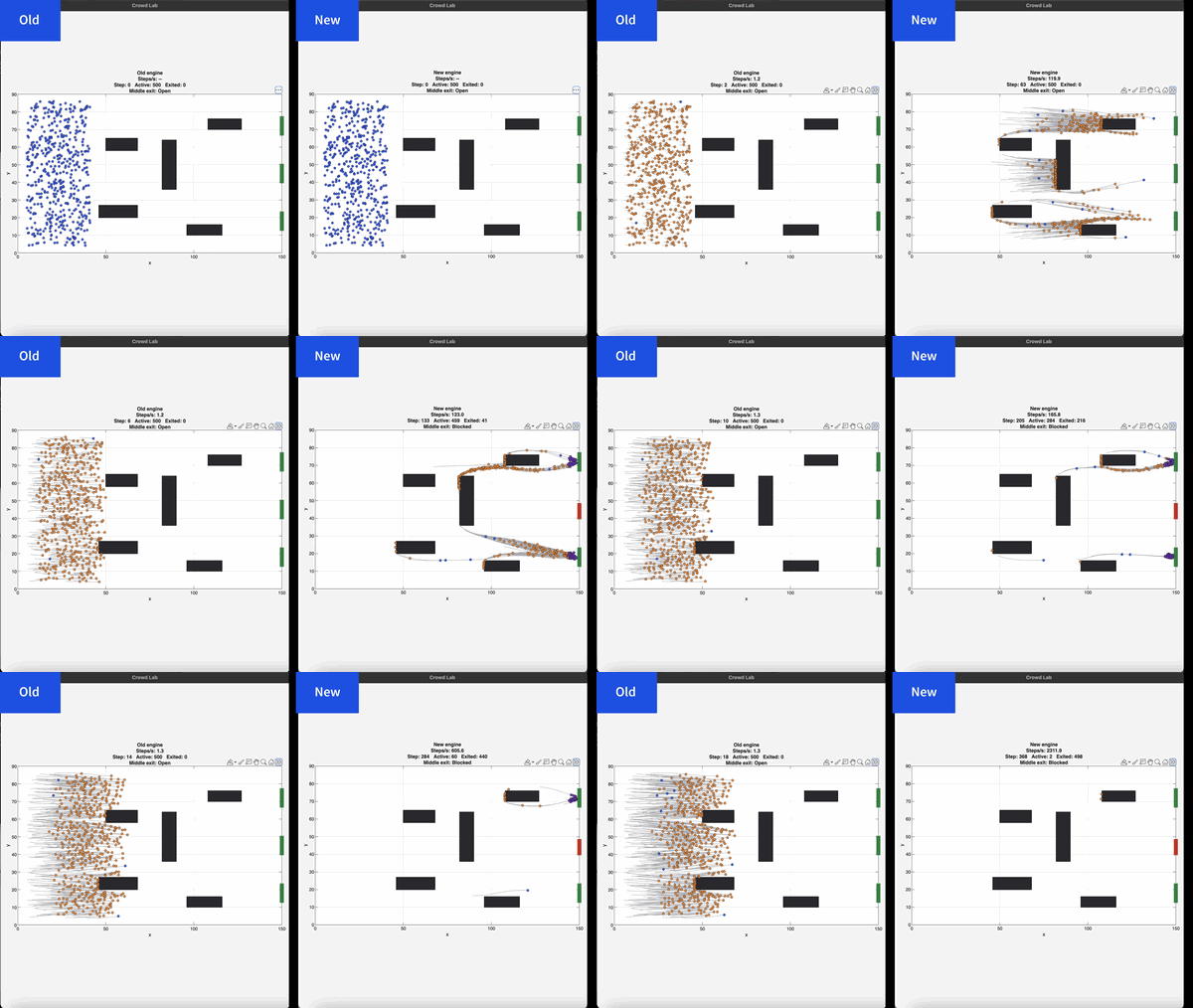
If you prefer numbers to pictures, all of the details are in a blog post from when we released the limited beta: Objects are about to get much faster in MATLAB » The MATLAB Blog - MATLAB & Simulink
"Why didn't we make this the default?" I hear you ponder. Because there is a small chance that the new system will break your code. It's a very small chance and I've personally not seen any code that does get broken. However, such code does exist and we want to be give you the chance to discover this and work with us to make your code compatibile before it does become the default.
I hope you enjoy using 2026b as much as we enjoyed making it.
Cheers,
Mike
I keep forgetting the functions and lack of pratices would be the reason

Extremely--I have real work to do
24%
Maybe talk about something else?
24%
Neutral
24%
Not very much
24%
Let's talk about nothing else
5%
21 votes

