subtract
Syntax
Description
Examples
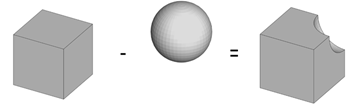
Cut out a quarter of a sphere by subtracting a cube from the sphere.
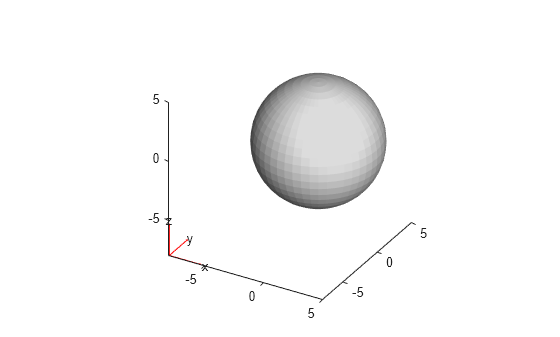
Create and plot a geometry of a sphere.
gsphere = multisphere(5);
pdegplot(gsphere)
Create and plot a geometry of a cuboid.
gcube = multicuboid(5,5,10);
gcube = translate(gcube,[2.5 -2.5 -5]);
figure
pdegplot(gcube)

Convert both geometries to fegeometry objects.
gsphere = fegeometry(gsphere);
gcube = fegeometry(gcube);
Subtract the cuboid from the sphere by using the Boolean subtraction operation.
g = subtract(gsphere,gcube);
Plot the resulting geometry with cell labels.
figure
pdegplot(g,CellLabels="on",FaceAlpha=0.3)
Subtract a cube from a larger sphere by using the Boolean subtraction operation.
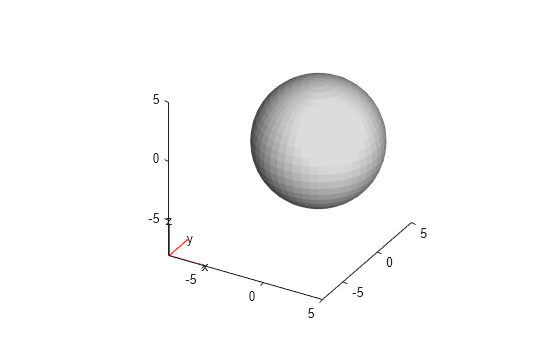
Create and plot a geometry of a sphere.
gsphere = multisphere(5);
pdegplot(gsphere)
Create and plot a geometry of a cube.
gcube = multicuboid(6,6,6,Zoffset=-3);
figure
pdegplot(gcube)

Convert both geometries to fegeometry objects.
gsphere = fegeometry(gsphere);
gcube = fegeometry(gcube);
Subtract the cube from the sphere by using the Boolean subtraction operation.
g = subtract(gsphere,gcube);
Plot the resulting geometry with cell labels.
figure
pdegplot(g,CellLabels="on",FaceAlpha=0.3)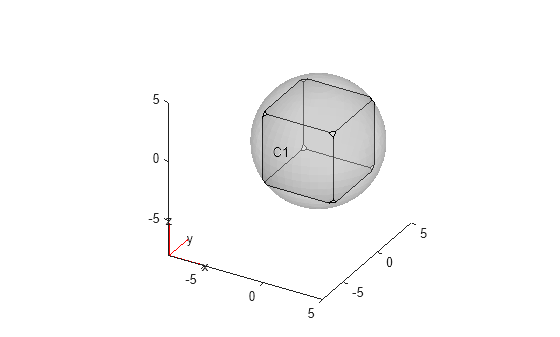
Since R2026a
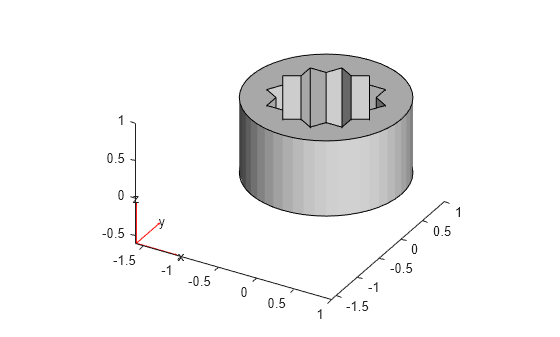
Cut out multiple cubes from a cylinder.
Create geometries representing a cylinder and a unit cube.
gmcyl = fegeometry(multicylinder(1,1));
gmcube = fegeometry(multicuboid(1,1,1));
Create a vector of geometries by rotating the cube by 30 and 60 degrees.
angle = [0 30 60];
for k = 1:numel(angle)
    gv(k) = rotate(gmcube,angle(k));
end
Subtract the resulting vector of geometries from the cylinder.
gm = subtract(gmcyl,gv);
Plot the result.
pdegplot(gm)
Input Arguments
Output Arguments
Limitations
subtractworks only on 3-D geometries. Usedecsgto subtract 2-D geometries.
Tips
When creating a geometry,
subtractuses the default threshold of 44 degrees for the dihedral angle between adjacent triangles. If the angle between the triangles exceeds the threshold, the edge becomes a topological (feature) edge separating two faces. If the angle does not exceed the threshold,subtractdoes not create a topological edge with two separate faces, unless the function can create the edge based on other criteria. Instead,subtractcreates one face.To use a different feature angle value, create a triangulation object from the resulting geometry
g3, and then convert the object back to anfegeometryobject. Set the value of theFeatureAngleargument as a number between 10 and 90. The specifiedFeatureAnglevalue represents degrees.tr = triangulation(g3); g3 = fegeometry(tr,FeatureAngle=15)
The
triangulationfunction accepts only single-domain geometries, sog3must have one cell.

