remove
R2026bDescription
Examples
This example shows how to create and delete an actor during a simulation using MATLAB®. First, you create a 3D environment by using the sim3d.World class and build a plane actor by using the sim3d.Actor class. Next, you create ball actors during simulation. Then, you delete the ball actors from the environment. To create and delete actors during simulation using Simulink®, see Create and Delete Actor During Simulation Using Simulink.
Create World
Create a world scene and set up communication with the Unreal Engine® using the output function. Before the Unreal Engine simulates, MATLAB calls the output function.
world = sim3d.World(Output=@outputImpl);
The outputImpl function is a local function defined at the end of this script.
Build Actors
Instantiate a plane actor named Plane. Build the actor appearance by using the createShape function. Add the actor to the world.
plane = sim3d.Actor(ActorName='Plane');
createShape(plane,'box', [50 50 0.1]);
add(world,plane);
Use the UserData property in the sim3d.World object to create a user data structure with a field named Step to store the simulation step during simulation. Initialize the user data structure to 1. You will use this structure to insert a delay before creating and removing actors from the world in the output function. Use the createBall function to create a ball actor and add the ball to the world.
world.UserData.Step = 1;
ball = createBall();
add(world,ball);
Set Up createBall Function
Use the createBall function to create a new ball using the createShape function, and set the properties for the ball.
function ball = createBall()
% Create ball actors in 3D environment
ball = sim3d.Actor();
createShape(ball,'sphere', [0.5 0.5 0.5]);
ball.Mobility = sim3d.utils.MobilityTypes.Movable;
ball.Gravity = true;
ball.Physics = true;
ball.Shadows = false;
ball.Color = [rand rand rand];
ball.Translation = [0, 0, 5];
end
If you do not create a viewpoint, then the Simulation 3D Viewer displays the default view, and you can use the keyboard shortcuts and mouse controls to navigate in the window. For more information on keyboard shortcuts and mouse control, see Navigate in Unreal Engine Environment.
Run Simulation
Run a simulation set for 10 seconds with a sample time of 0.01 seconds.
sampletime = 0.01;
stoptime = 10;
run(world,sampletime,stoptime);
Creating actor Actor6 ...
Creating actor Actor7 ...
Creating actor Actor8 ...
Creating actor Actor9 ...
Deleting actor Actor5 ...
Deleting actor Actor9 ...
Deleting actor Actor7 ...
Deleting actor Actor8 ...
Deleting actor Actor6 ...
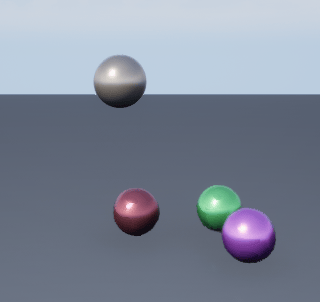
You can see the ball actors being created and deleted from the world during simulation.
Delete World
Delete the world object.
delete(world);
Set Up Output Function
Use the output function to send data to Unreal Engine at each simulation step. The outputImpl function manages the creation and deletion of ball actors in the 3D world. Use the UserData property of the sim3d.World class to track the simulation steps and then create a new ball actor or delete an existing ball actor. The function uses the Actors property of sim3d.World class to create a structure with names of the actors in the world as the fields. The function uses the createBall function to create and add a new ball to the world and uses the remove function to delete a ball actor from the world. The function also increments the step count after each execution.
function outputImpl(world)
% Create and delete actors in scene
if mod(world.UserData.Step, 50) == 0
    if world.UserData.Step < 250
        ball = createBall();
        fprintf("Creating actor %s ... \n", ball.Name)
        world.add(ball);
    else
        actorFields = fields(world.Actors);
        index = floor(length(actorFields) * rand() + 1);
        actorToDelete = actorFields{index};
        if ~(strcmp(actorToDelete, 'MainCamera1') || strcmp(actorToDelete, 'Plane'))
            fprintf("Deleting actor %s ... \n", actorToDelete)
            world.remove(actorToDelete);
        end
    end
end
world.UserData.Step = world.UserData.Step + 1;
end
Input Arguments
Version History
Introduced in R2023a
See Also
sim3d.World | sim3d.Actor | createViewport | add | run | pause | resume | close | wait

